

All the configured rules are listed under the Mitigation Rules tab.
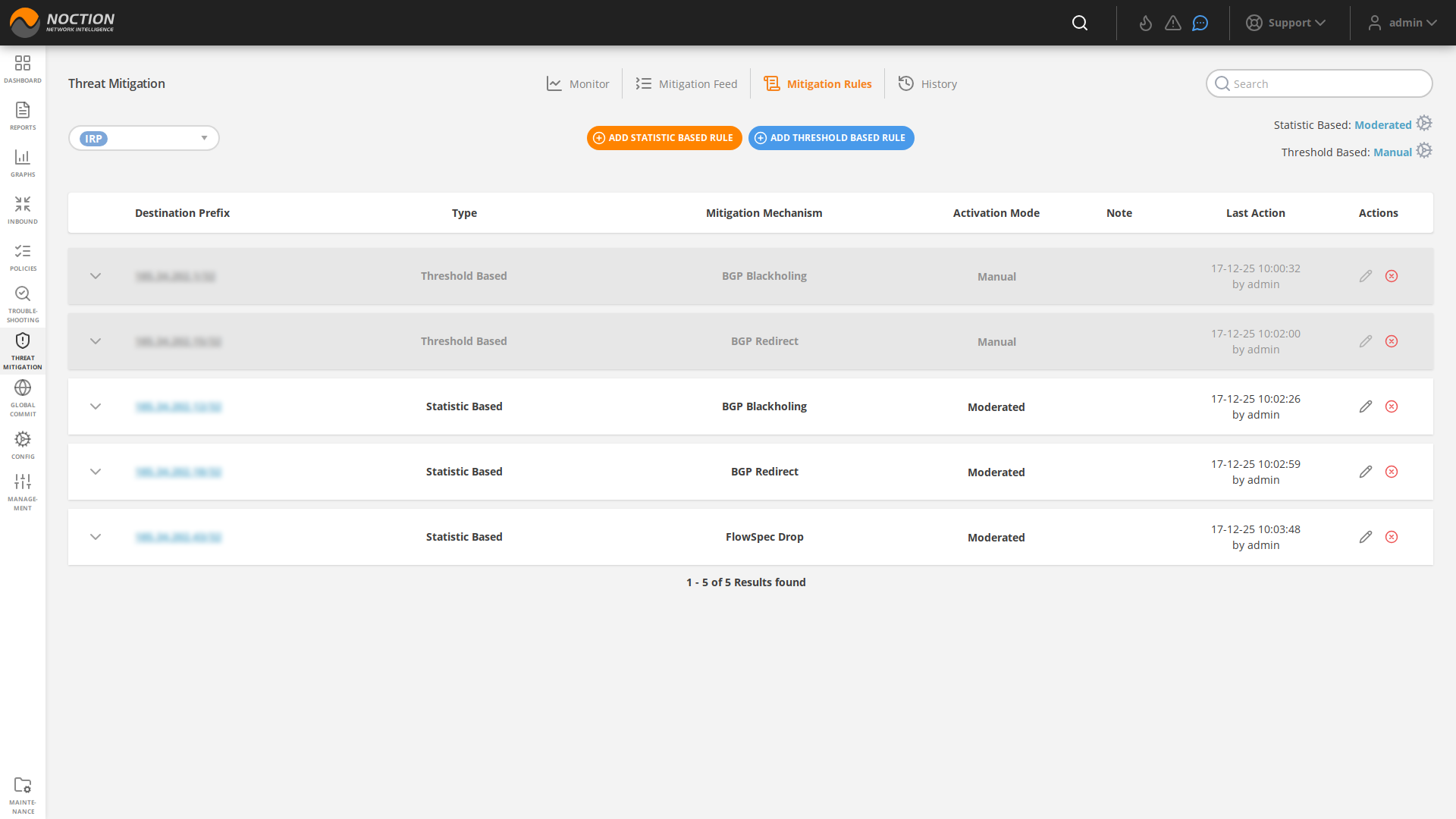
Figure 3.10.2: Mitigation Rules
To add the new rule, click the NEW RULE button. Fill out the required fields and hit CREATE. Based on the chosen Activation mode, a particular threat mitigation action will either be presented as a suggestion under the Mitigation Feed tab or started automatically.
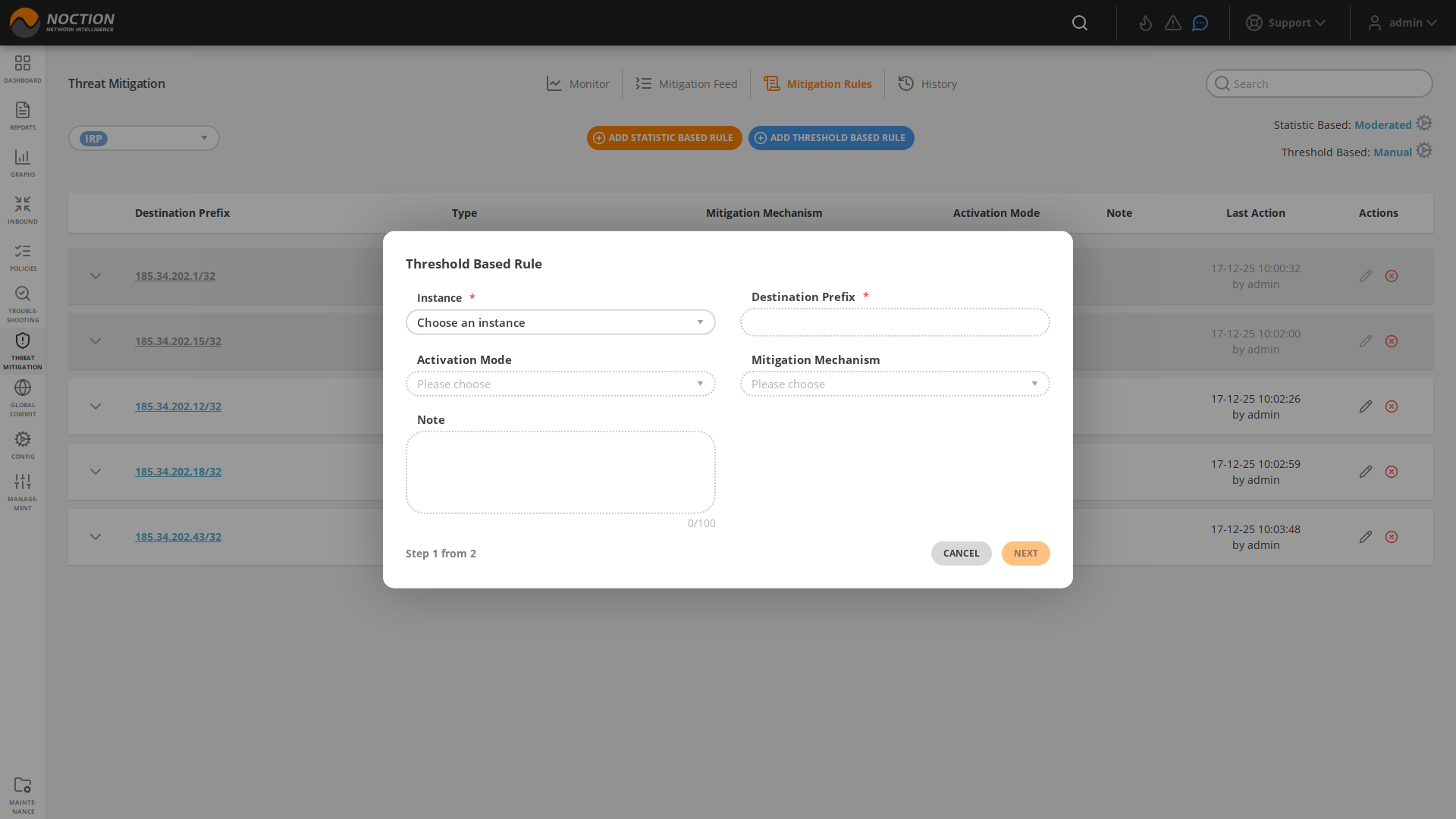
Figure 3.10.3: Add new rule
 To be able to set up a specific Flowspec and/or Blackholing mitigation mechanism, details should be first provided at the Router and Provider level under the Configuration editor section.
In case the individual rule threshold values are not provided, the default values provided in the configuration section get used. Default values for Threat Mitigation rules are set in these configuration parameters: Threat mitigation
 Deletion of an existing mitigation rule does not affect existing mitigation feed entries. They should be removed separately.
3.10.2.1 Mitigation Mechanisms #
BGP Blackholing #
BGP Blackholing mechanism in Threat Mitigation allows network operators to selectively block or drop traffic to a specific prefix.
Once a rule with the corresponding mechanism gets triggered, the Blackholing community (peer.X.blackholing.community) is attached to an announced prefix by the Blackhole Routers(peer.X.blackholing.bgp_peer). The purpose here consists of signaling to a provider network that a neighbor router should discard all traffic destined for the received prefix with the attached BGP blackhole community.
It’s worth noting that BGP Blackholing should be used with caution, as it will drop all the traffic to the blackholed prefix. This can cause serious consequences, such as dropping legitimate traffic. That’s why it’s advised to use it carefully and with a clear plan to avoid any collateral damage.
FlowSpec Drop #
The FlowSpec Drop mechanism allows network administrators to drop packets towards a destination prefix.
Once the FlowSpec Drop Threat Mitigation rule gets triggered, it is propagated to all the configured routers in IRP that support FlowSpec. When a router receives a FlowSpec drop rule, it is installed in its forwarding plane and used to match incoming packets. If a packet matches the rule, it is dropped and not forwarded to its destination.
BGP redirect #
The BGP redirect mechanism allows network administrators to manually or automatically tag a particular route with a BGP community value and subsequently signal client or provider routers to apply specific actions or policies to such routes.
To redirect traffic to a specific IP address or prefix using the BGP Redirect feature, a network administrator would first define a redirect community(s), then set up the custom threat mitigation rule(s), which, when triggered, would associate the community(s) with a route by adding it as an attribute to the route. Next, depending on the case, the network administrator would configure the router to apply a routing policy that matches the community value and redirects traffic to the desired IP address or readvertises it to the upstream providers.
It’s important to note that, the use BGP redirect mechanism requires a good understanding of BGP protocol, network topology and routing policies.
FlowSpec Redirect #
IRP’s Threat Mitigation feature offers the FlowSpec Redirect to IP mechanism, allowing network operators to automatically redirect specific traffic to an IP address for further processing or inspection.
During a DDoS attack, an attacker floods a targeted network or service with a large amount of traffic in an attempt to overload it and make it unavailable to legitimate users. To protect against this type of attack, network administrators can configure the default/custom rules and employ the FlowSpec redirect to IP mechanism to divert traffic that violates predefined thresholds and matches a particular destination prefix to a DDoS mitigation/scrubbing service.
The DDoS mitigation/scrubbing service can then analyze traffic and block or rate-limit the malicious traffic while allowing legitimate traffic to pass through. By redirecting traffic to a DDoS mitigation service using FlowSpec, network administrators can effectively protect their network and services from DDoS attacks without having to block all incoming traffic.
FlowSpec mitigation method can be chosen to filter out smaller attacks while the Remote Triggered Blackhole should be sent to providers to block large volume attacks. Both Flowspec and Blackholing mechanisms can be enabled for a single rule, with the thresholds for Flowspec being indicated lower than the Blackholing values. In this case, when the FlowSpec Mitigation is not capable of handling the attack the BGP Mitigation comes into play.