

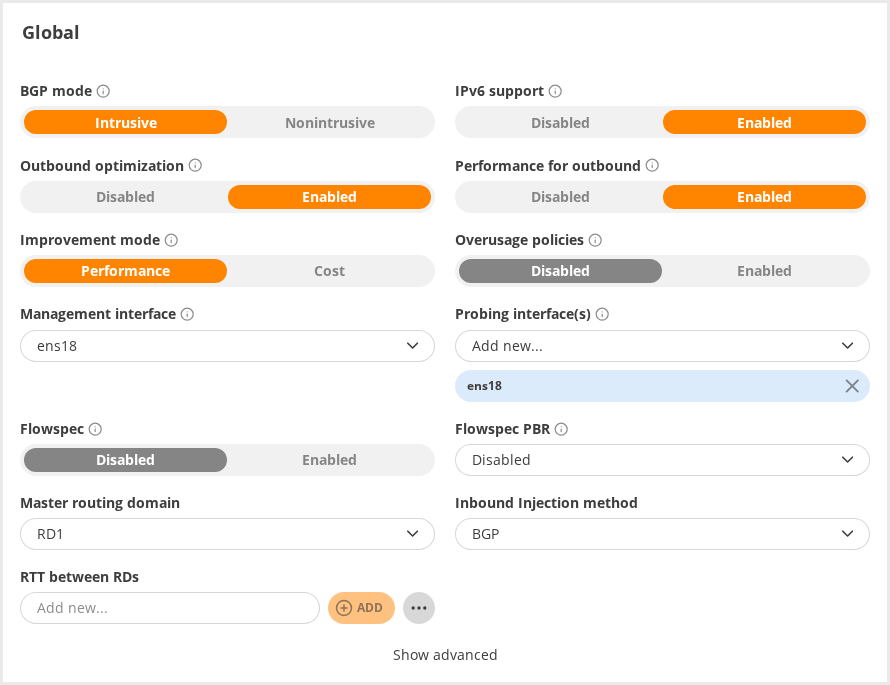
Global settings can be adjusted under the Global tab.
Several global parameters can be configured by selecting their desired values and clicking on the “Save” button.
Available parameters:
- Improvement mode (global.improve_mode)
- Management interface (global.master_management_interface)
- BGP mode (Intrusive / Non-intrusive, see global.nonintrusive_bgp)
- Probing interface(s). See global.master_probing_interface and others.
Click “Show advanced” to open a complete list of options. See Global parameters for details on each parameter type.
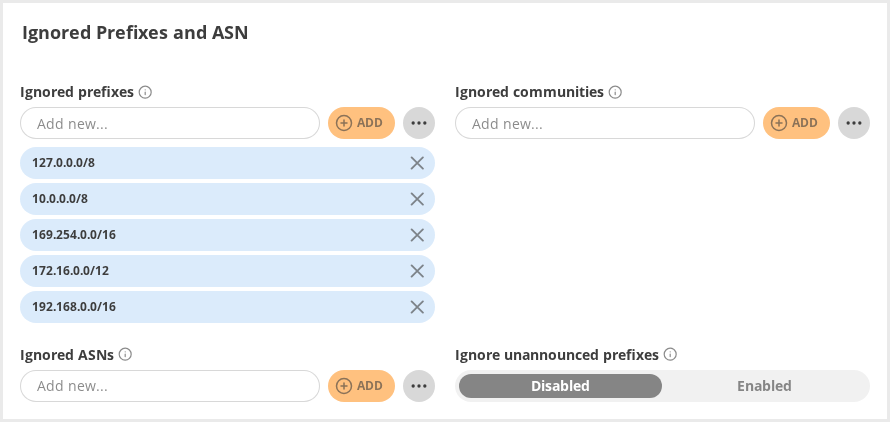
The list of ignored networks can be modified on the same page. The options allow listing as appropriate:
- prefixes(global.ignorednets),
- ASNs (global.ignored.asn),
- BGP Community attributes that mark prefixes/routes to ignore (global.ignored_communities).
Setting prefixes and ASNs is possible either manually, or by importing a text file containing one IP/network in CIDR format or ASN per line.
The Routing Domains can be configured from the Global tab as well.
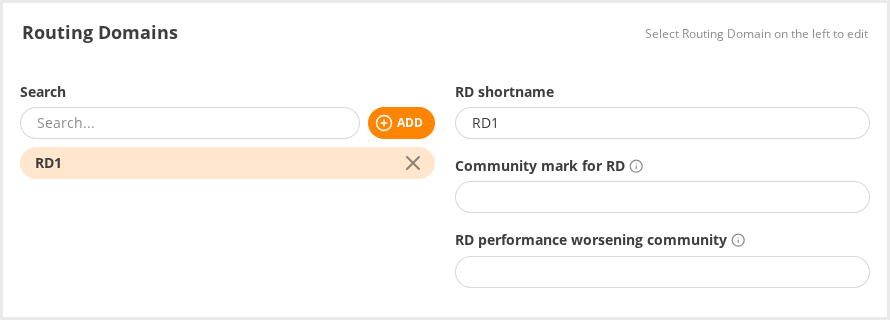
Figure 3.13.5: Configuration editor: Routing Domains