

GMI features a manual prefix probing function. One can manually submit a specific IP address for probing and optimization by particular IRP instances. Valid hostnames and IP addresses can be entered. The probing results will be displayed on the same page. Please note that the selected IRP instances probes the exact entered IP address.
In case the IP address doesn’t respond, an IRP instance runs the indirect probing process and optimizes the whole prefix based on the indirect probing results.
Prefix probing allows to automatically or manually choose the best path for a particular IP address or prefix.
In order to check what are the possible paths for a prefix, enter the IP address or prefix into the field. Checkmark the “Fast Probing” option to send only a small batch of 5 control packets (instead of a 100 packets full probe) to establish performance characteristics through different providers. If you prefer the prefix to be improved automatically, tick the check box “Improve automatically” and press the “Submit for probing” button. Otherwise, just press the “Submit for probing” button and wait until the system returns the probing results.
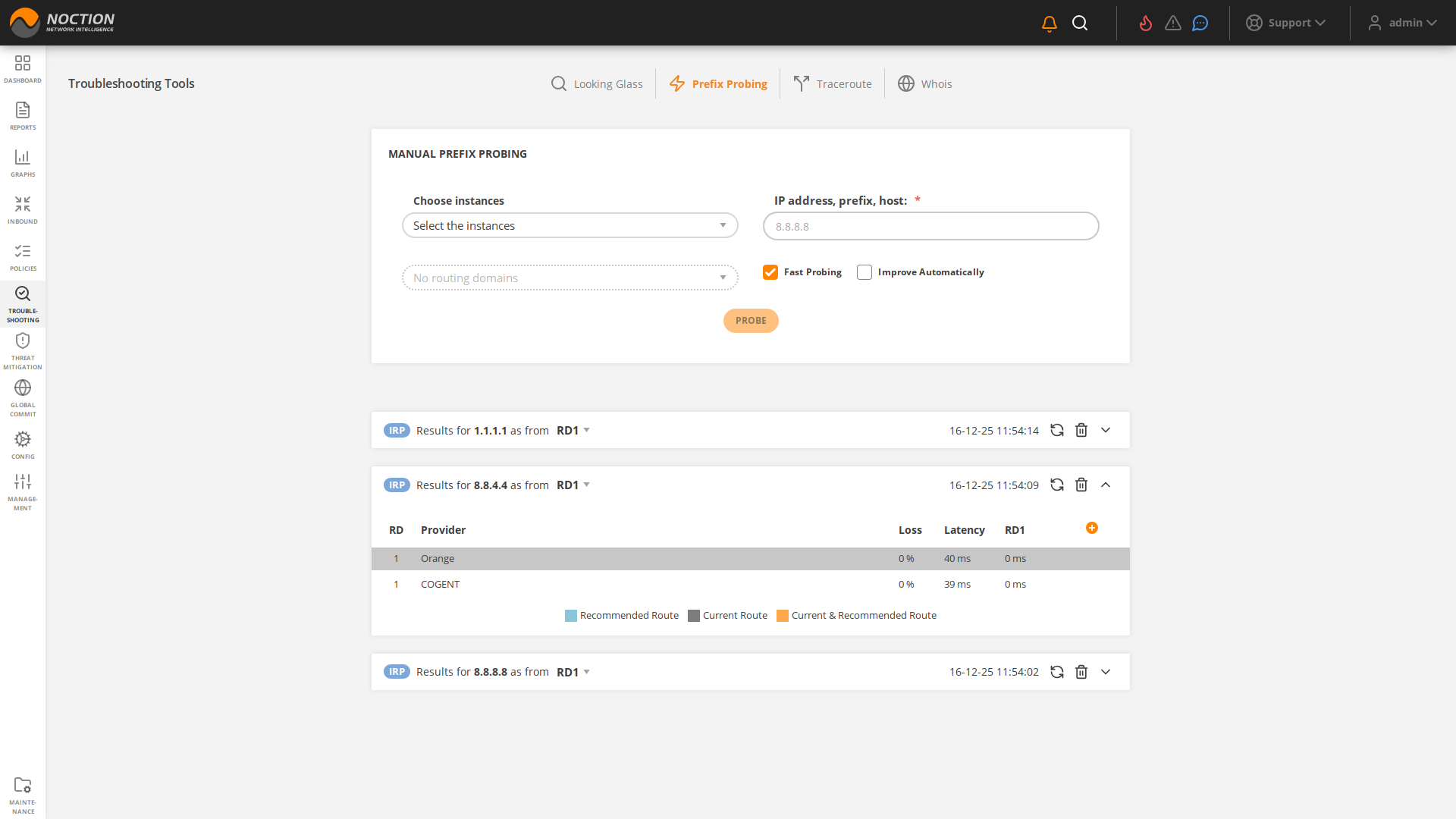
Figure 3.9.2: Prefix Probing
The system returns the probing results by displaying the loss and latency values for each of the providers. After the probing results are received, choose the path you consider the best one. Note, that the current and the best path are highlighted.