

Notifications are messages sent to alert about some events registered by IRP instances. There are two prerequisites in order to start using notifications:
- Configure event parameters and channels
- Subscribe for event notifications
IRP instances can send notifications as SMS, email and SNMP Trap.
3.13.10.1 Configure notifications and events #
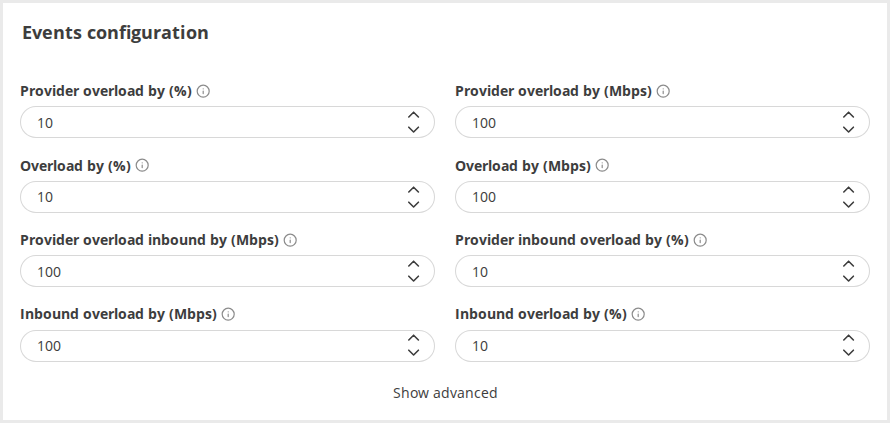
Events Configuration #
Events configuration changes default threshold values when an event is raised. The most relevant events are presented in the following figure. For example Overloaded by (%) indicates that this event will fire when the aggregated outbound bandwidth usage for all providers exceeds by 10% the configured limits. Refer Notification and events for details.
Email Channel Configuration #
IRP uses a local email server to send emails containing info on particular events registered by IRP instances. Still, emails sent by this server might trigger filtering policies enforced by some third parties that might block important event notifications. It is possible to provide the details of another email server on your network that is protected from this. The following figure highlights the available email channel configuration parameters. Besides specifying the server, email channel configuration sets the sender of email messages that will show in the receiver’s inbox.
 Only SMTP servers without authentication are currently supported for sending events registered by IRP instances.Set up a separate “sender” to receive specific reports and graphs via email. For details, refer to Senders.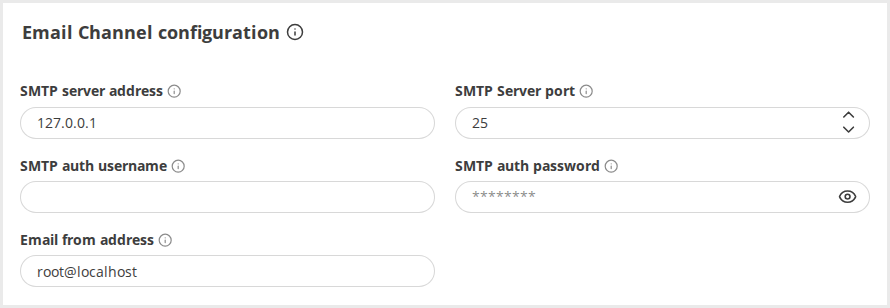
SMS Channel Configuration #
SMS configuration is mandatory for sending SMS notifications.
The following SMS gateways are supported:
A valid account with a supported SMS gateway is required in order to finish configuration. Check the following figure for details:
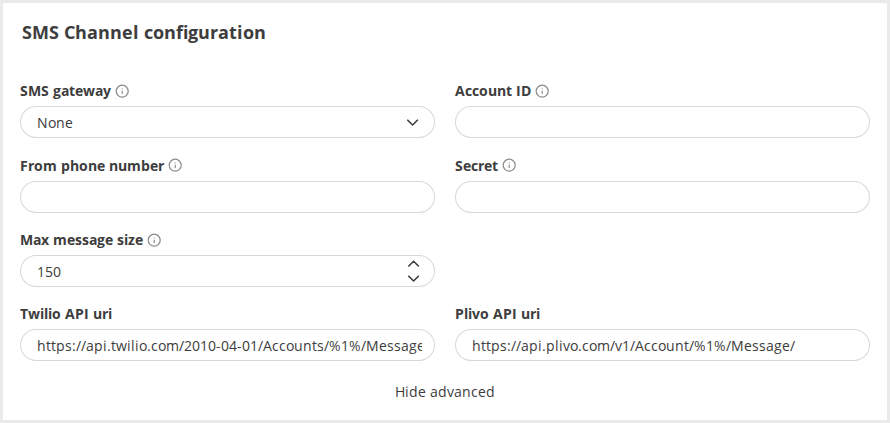
The settings are:
- SMS gateway – choose one of the supported gateways
- Account ID – the public identifier assigned to your account by the SMS gateway. The following figure highlights this value for Plivo
- From phone number – the phone number that shows as sender on the receiver’s mobile device. Use a phone number supported by the SMS gateway
- Secret – the secret identifier assigned to your account by the SMS gateway. The following figure highlights this value for Plivo
- Max message size – the maximum length of the SMS text. The SMS will be trimmed before sending. Subsequently the SMS gateway will split the SMS into multiple parts if required.
Refer Notification and events for complete details about configuration parameters.
 Some SMS gateways enforce the From phone number and will reject numbers that do not comply with their policy.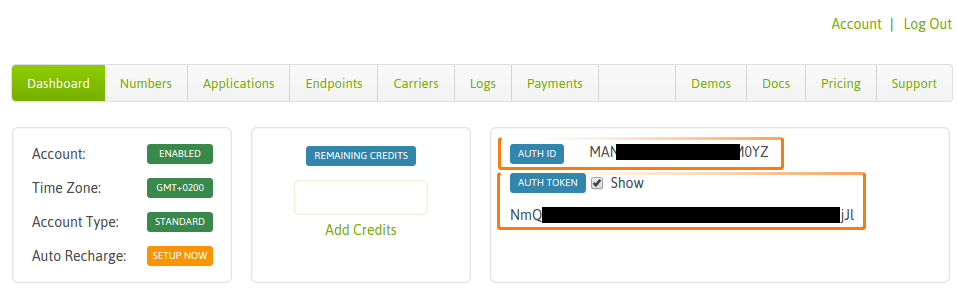
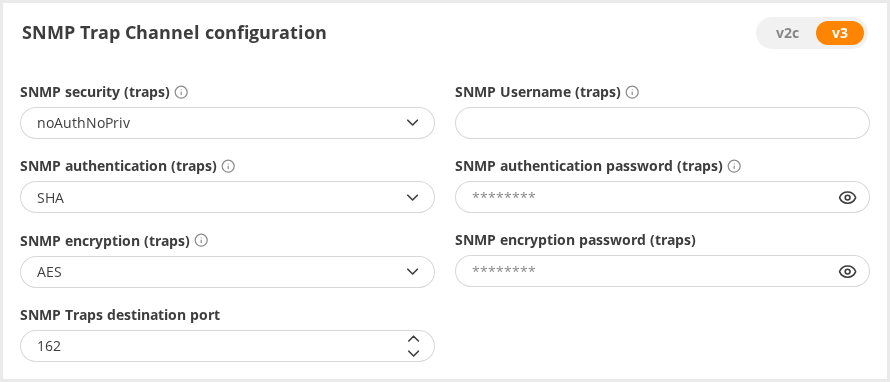
SNMP Trap Channel Configuration #
There is a list of parameters that should be configured to deliver SNMP traps. Refer Notification and events for details.
Web Hooks Configuration #
Web Hooks configuration requires only a Webhook URL to be provided. There is a series of advanced configuration parameters in case their default settings are not satisfactory. Refer Notification and events for details.
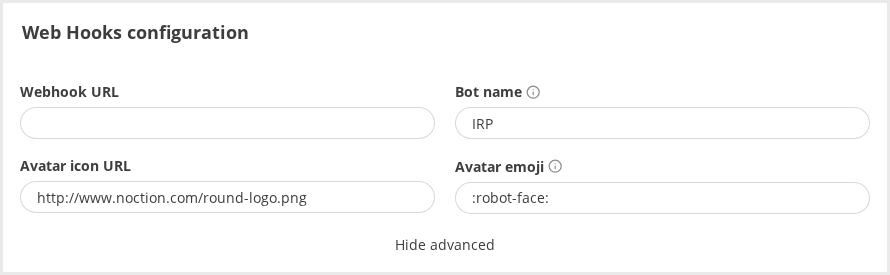
The settings are:
- Webhook URL – the unique URL the team is assigned by Web hook provider. An example for Slack.com is shown
- Bot name – optional bot name assigned to Webhook bot
- Avatar icon URL – optional parameter that designates an icon (usually PNG or JPEG image are supported) assigned to the Webhook bot in the channel
- Avatar emoji – an alternative avatar specified in the form of an emoji in “:robot-face:” format.
Web hooks support has been tested and verified to work for Slack.com API.