

Go to the Configuration tab, drag and drop the providers of choice from the right side instances/providers options available to create Global groups. Providers will get distributed and marked by the IRP instance they belong to automatically within the Global group.
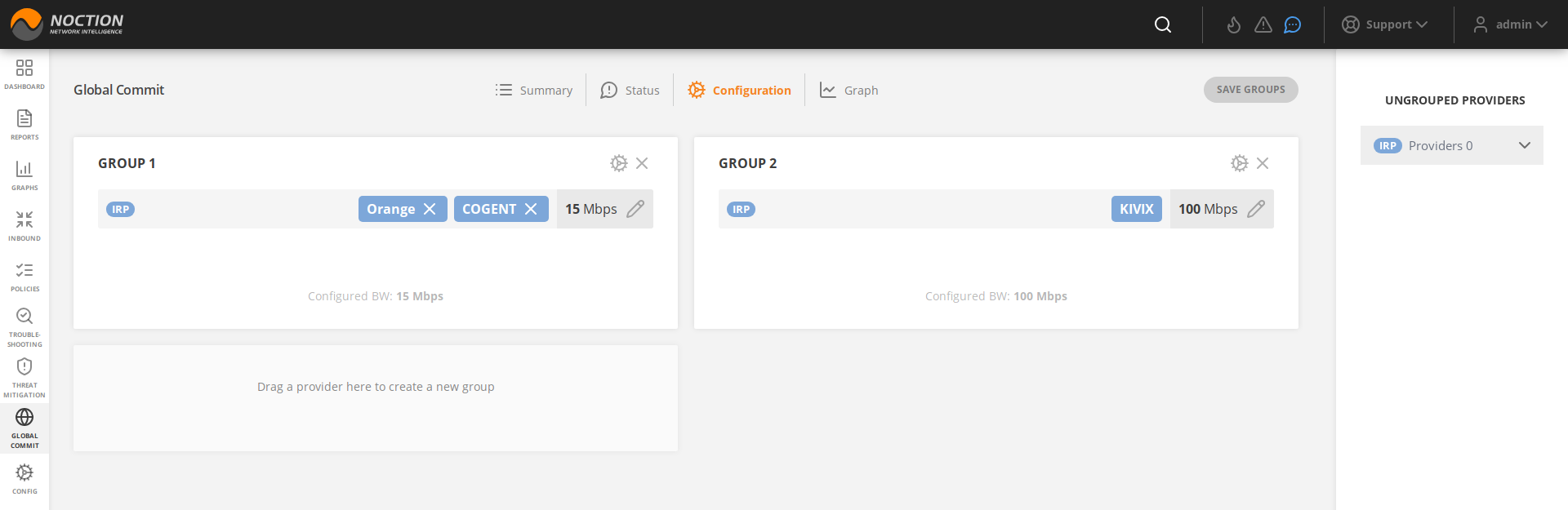
Figure 3.12.1: Global Commit groups configuration
Next, provide the “Global Group local member 95th percentile” (95th for the providers from a specific IRP instance within a Global group) as well as “BW reserved for local instance operation” (the amount of summed up bandwidth reserved to providers on specific IRP instance) values.
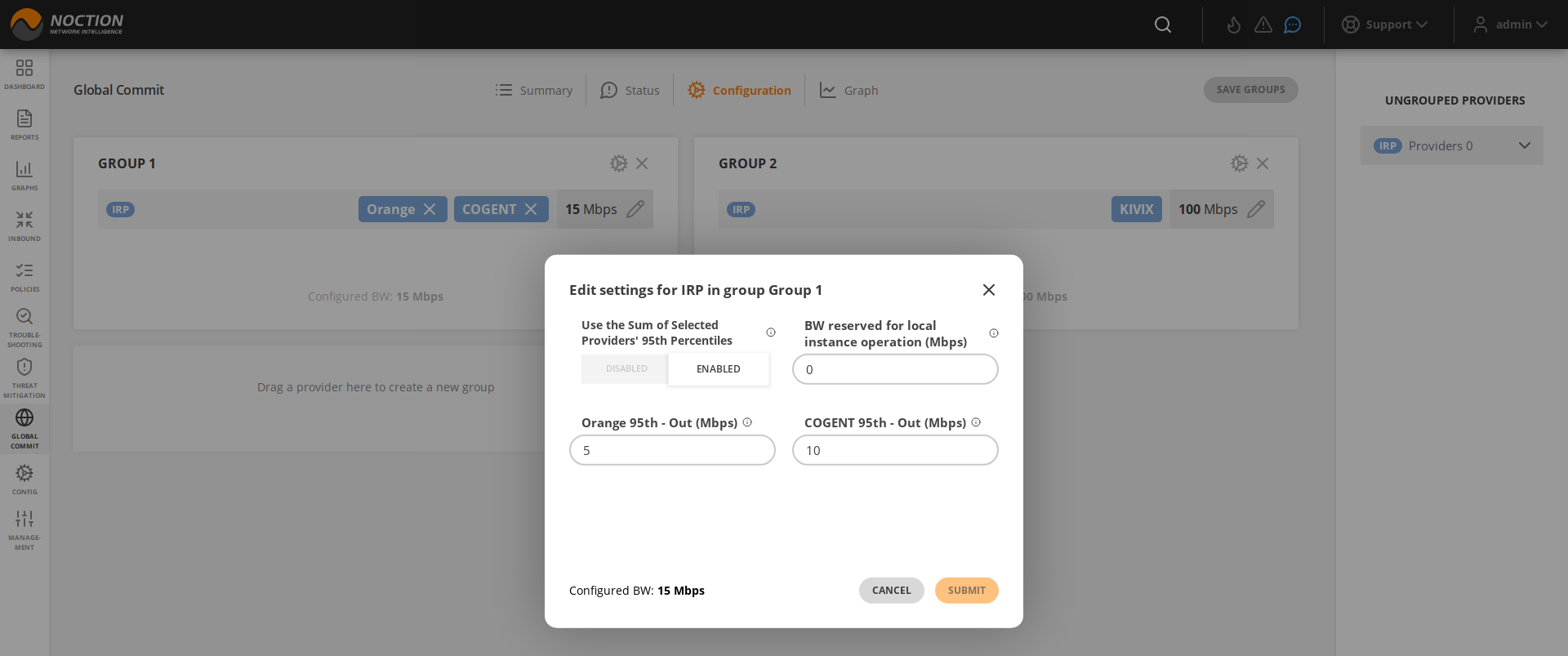
Figure 3.12.2: IRP instance individual settings within the Global Group
Click on the Global Group gear icon to change the group name, add the global group’s members (hosts), Global Group high load bandwidth limit parameter similar in function to (core.commit_control.rate.high) and Global Group low load bandwidth limit parameter similar to (core.commit_control.rate.low)
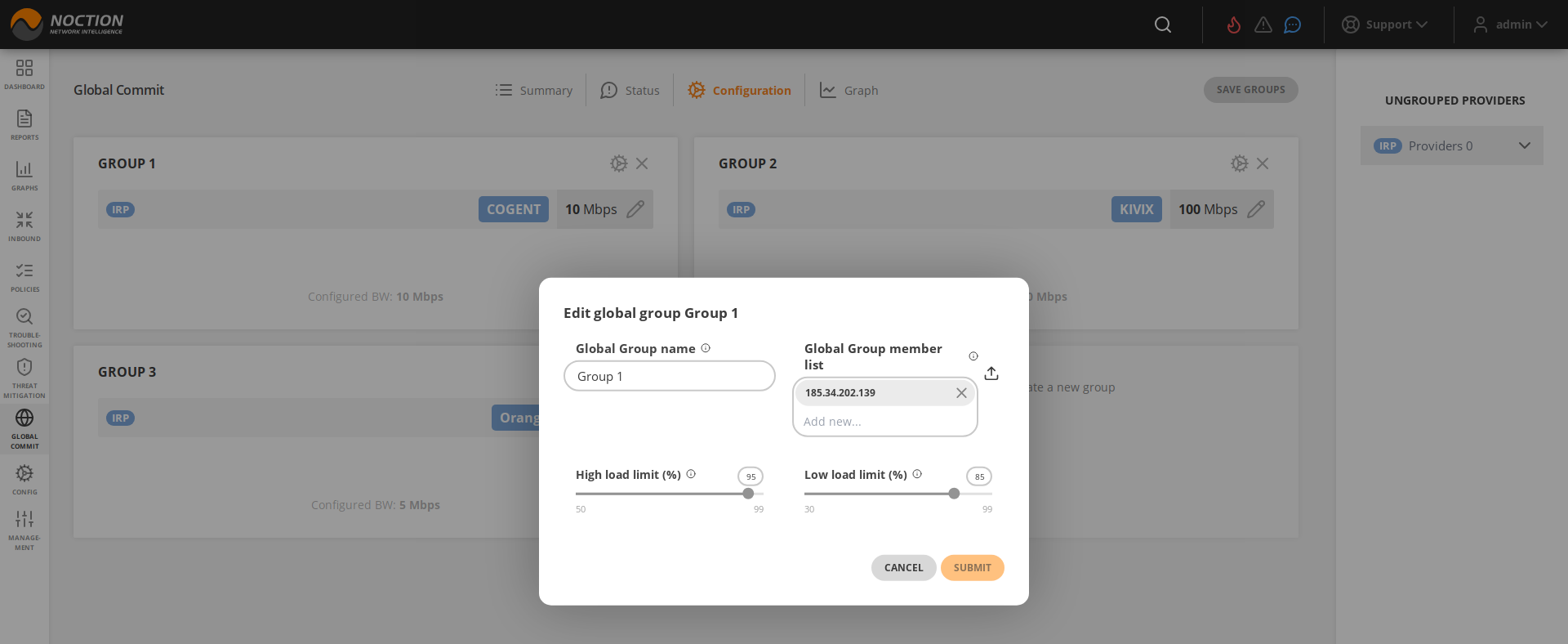
Figure 3.12.3: Global Commit Group Settings