

To see the full list of routing policies configured for a particular IRP instance, select the Policies option from the main menu and click on the Routing Policies option. The list displays all the enabled and disabled routing policies.
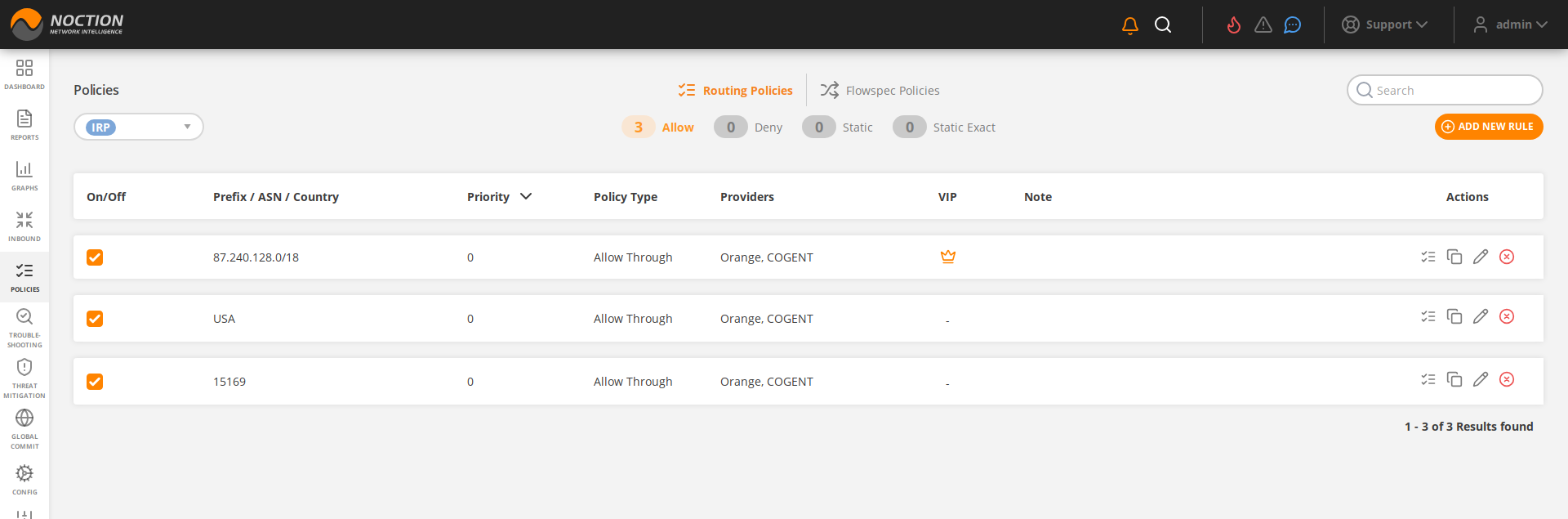
Figure 3.7.1: Routing Policies
As shown in the screenshot above, the list provides the following details:
- The ON/OFF state of each policy
- The country, prefix or ASN to which the policy applies
- Priority of a policy
 Priority specifies what policy to use in case of overlapping prefixes as might be the case of a large aggregate prefix policy extending over an ASN policy
- The type of the policy ( allow/deny/static/static_exact)
- Providers which are affected by the policy
- The status of the VIP reprobing (enabled/disabled)
- A note to describe the policy
- The available actions for the policy. These include:
→ Show detailed routing policy information
→ Duplicate the routing policy
→ Edit the routing policy
→ Remove the routing policy
When opening up the detailed routing policy information, the following details become available:
- Time passed after the last probe was performed towards this prefix
- The time left before the next scheduled probe towards this prefix
- From and To details of an existing improvement relating to this policy.
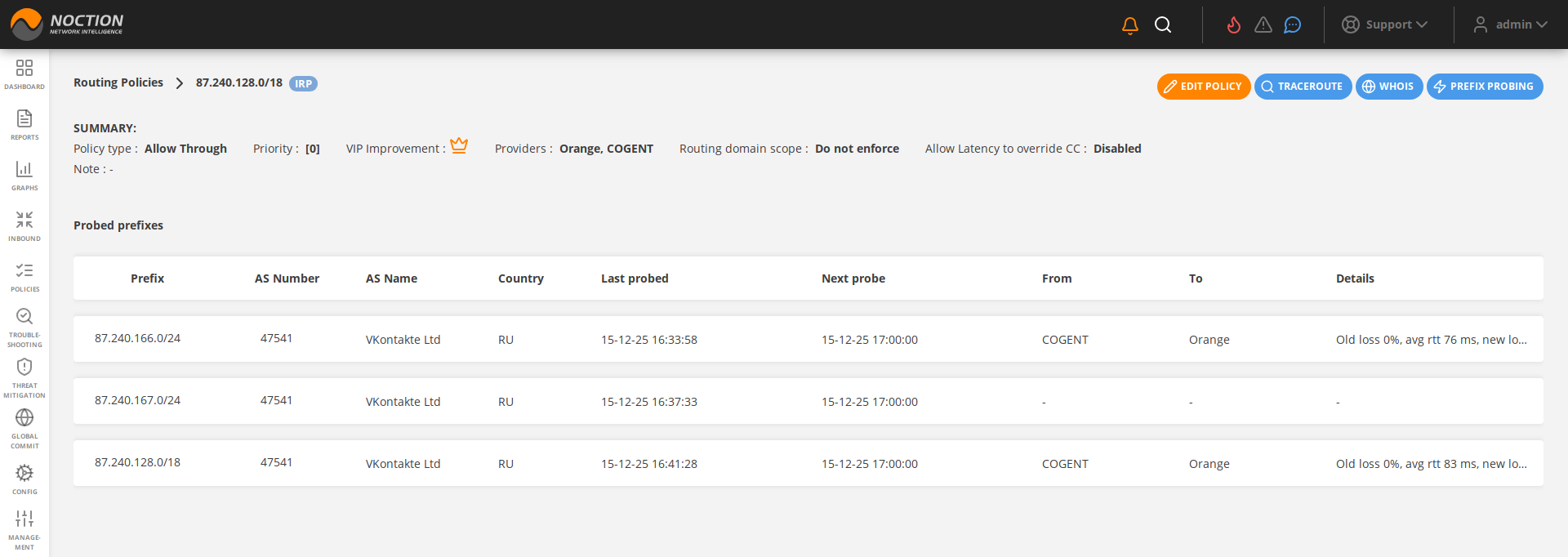
Figure 3.7.2: Detailed routing policy view
A new routing policy can be added by pressing the “ADD NEW RULE” button. The following window will open up:
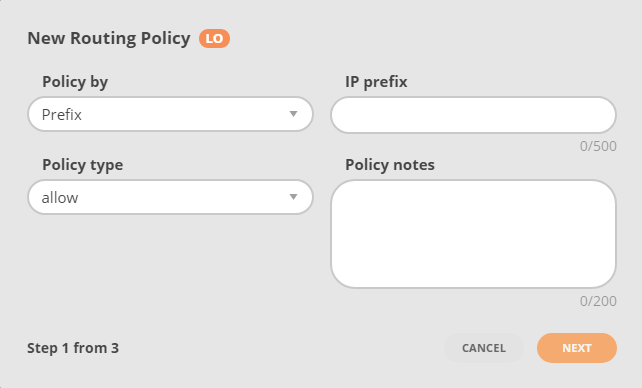
Figure 3.7.3: Routing policy window
Depending on the “Policy by” field selection, some of the following parameters should be configured to add a routing policy:
- Prefix: The prefix to which the policy is applied
- ASN: The ASN to which the policy is applied
- Country: The country to which the policy is applied. Such a policy applies to all prefixes known to be located in the country.
- Note: A note to describe the policy
- Policy Type: The type of the policy (allow/deny/static/static_exact)
- A community to mark improvements
- A flag to set if policy is VIP
- The policy status (enabled/disabled)
- A flag to indicate if an ASN policy should propagate to downstream ASN.
- A flag indicating if a global improvement is allowed.
- Priority slider or text-box will set a policy’s priority.
- The Providers for which the policy should be respected
- Cascade flag for ASN policies that indicate if the policy should be enforced only for this AS or also for downstream AS. If cascading is enabled it ensures that the policy is enforced for all traffic that will eventually be routed through this AS.
Refer policy configuration parameters Routing Policy for details.
Click any of the “Allow”, “Deny”, “Static” or “Static Exact” options to see a list of policies of a particular type.

Figure 3.7.4: Routing Policy Type