

Starting with version 3.4 IRP introduced the Inbound bandwidth optimization feature, the configuration and reports for which are available in GMI.
3.6.1.1 Current Inbound Improvements #
The “Current Inbound Improvements” report provides a list of the currently active improvements. The report shows the improved prefix and the providers from and to which the traffic was redirected. It also provides the reason, which the improvement was based upon.
If necessary, specific improvements can be manually deleted by clicking the check-box next to the needed prefix, afterward clicking the “Remove selected” button.
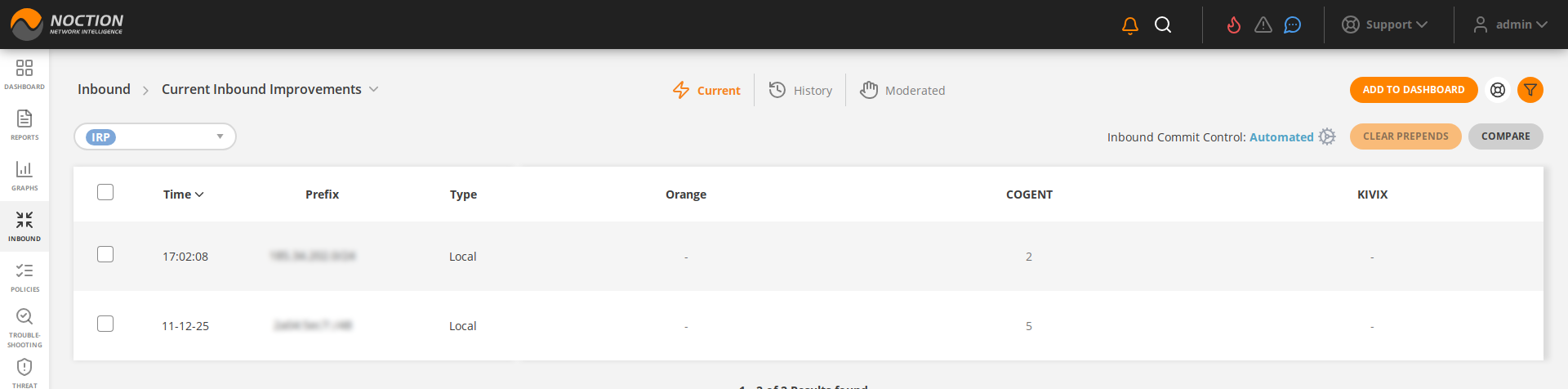
Figure 3.6.2: Current Inbound Improvements
3.6.1.2 Historical Inbound #
The Historical Inbound traffic report provides an overview and analysis of the incoming traffic over a selected period of time per prefixes and the associated providers.
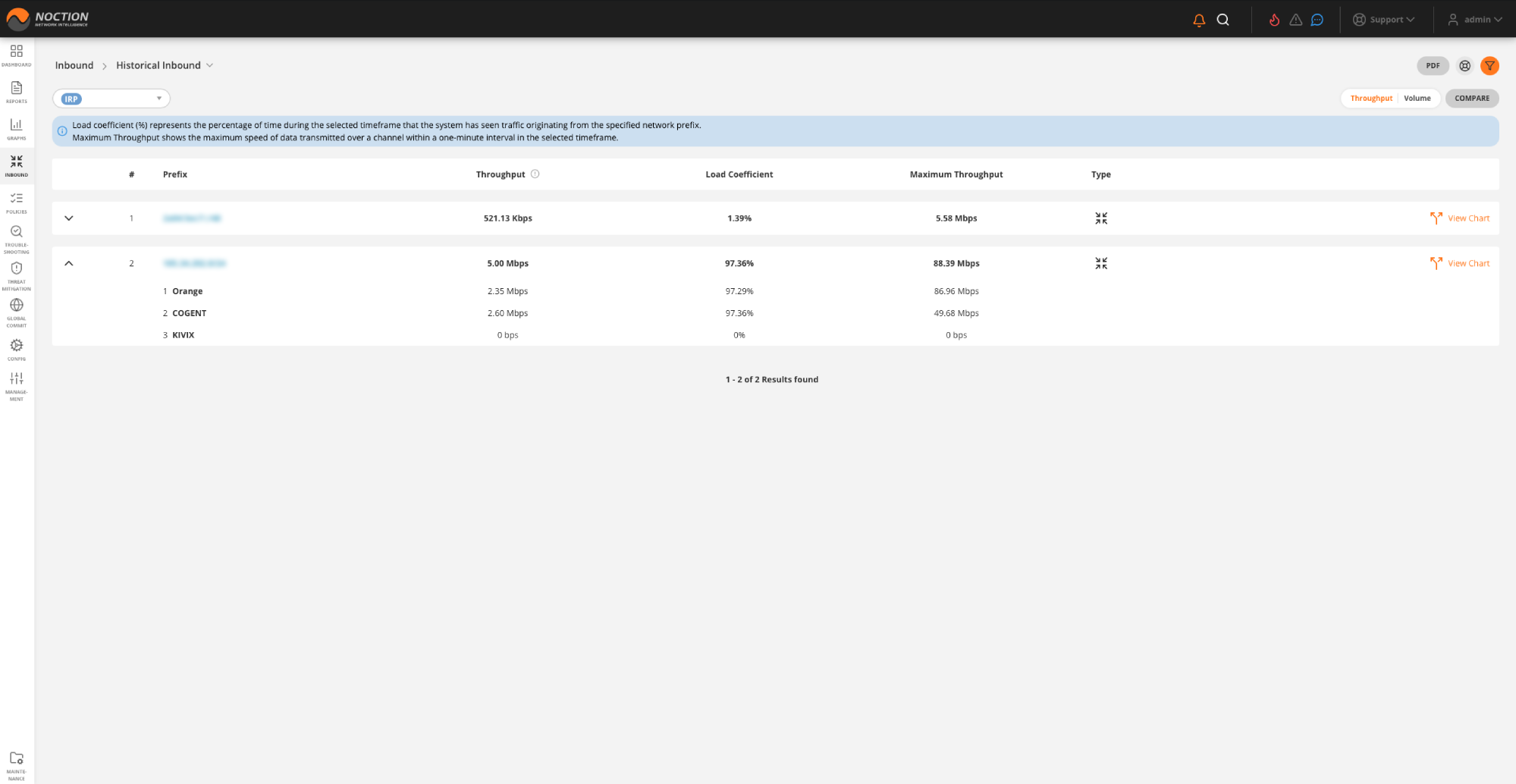
Figure 3.6.3: Historical Inbound
The report includes a range of relevant throughput and volume metrics related to inbound traffic, such as:
- Prefix the network prefix associated with traffic
- Throughput the average rate at which data is transmitted over a given period of time for a specific prefix
- Load coefficient the percentage of time during the selected timeframe that the system has seen traffic per the specified network prefix
- Maximum throughput shows the maximum speed of data transmitted over a channel within a one-minute interval in the selected timeframe
- Volume this metric denotes the total amount of data transmitted or received for a specific prefix during the analyzed period
- Count of updates the number of updates or changes made to the traffic data related to a specific prefix
- Maximum volume similar to maximum throughput, this metric indicates the highest volume of data transmitted or received for a specific prefix during the analyzed period
- Type categorizes traffic based on its direction. Inbound refers to data coming into a network from external sources, while Transit represents data passing through the network without being the final destination
- View Chart displays a graphical representation of the throughput or volume of the inbound traffic for each specific prefix.
3.6.1.3 Inbound Improvements History #
The “Inbound Improvements History” report provides a detailed list of past inbound improvement actions. The report shows the improved prefix and the new prepends count towards a provider.
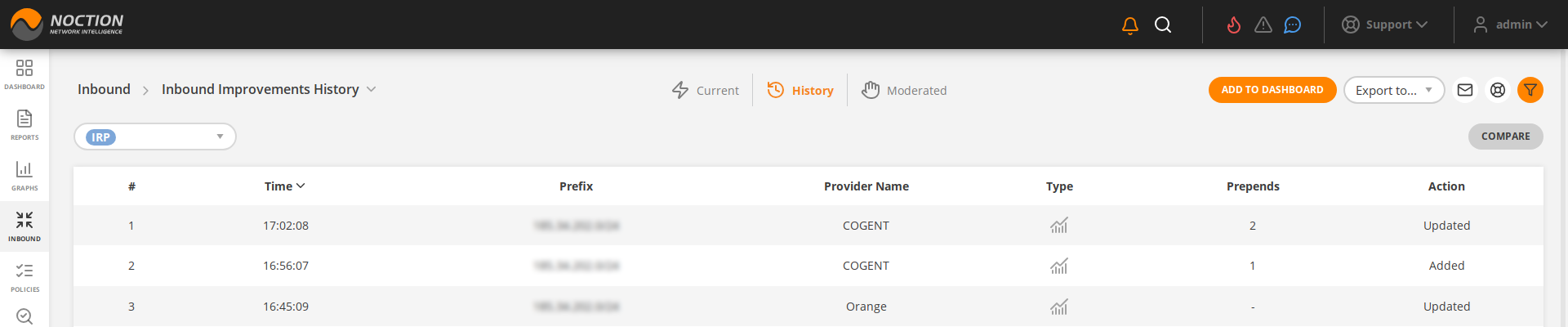
Figure 3.6.4: Inbound Improvements History
3.6.1.4 Inbound Traffic Distribution #
The graph highlights distribution of inbound traffic across inbound prefixes and providers. Inbound traffic distribution is available in the report form as well and includes a feature to cross-compare current values with a saved inbound traffic distribution from the recent past.
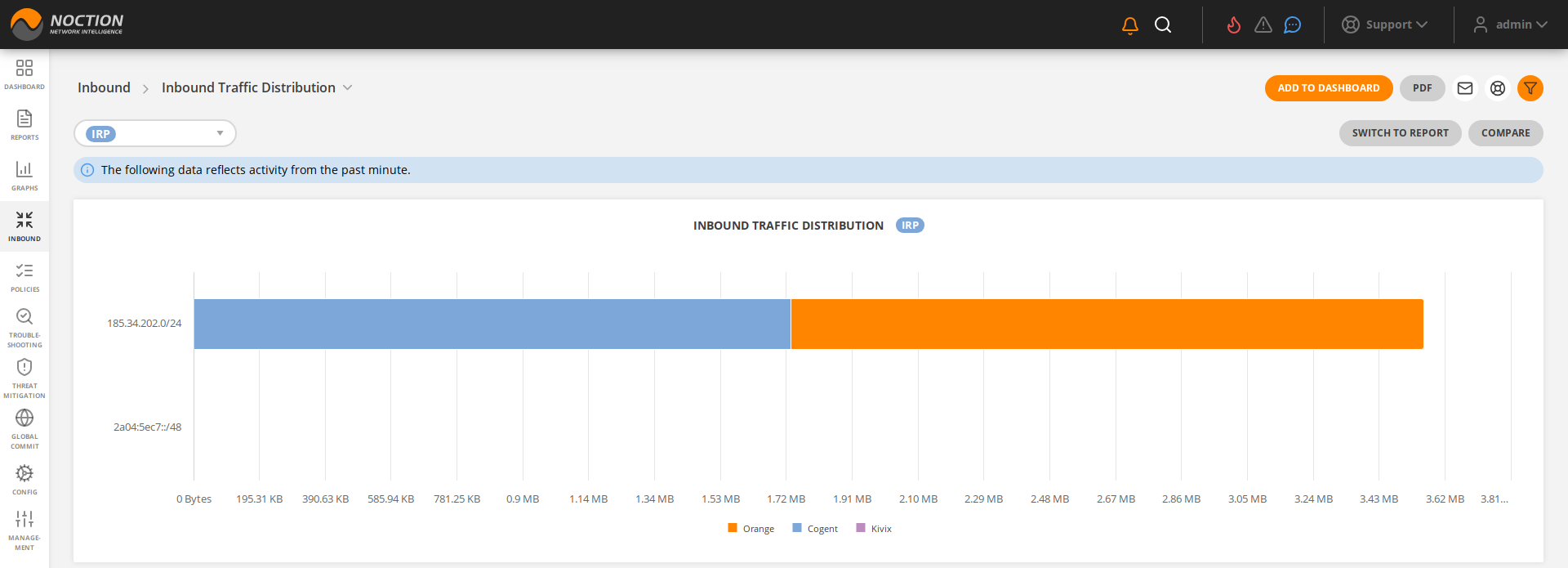
Figure 3.6.5: Inbound Traffic Distribution
3.6.1.5 Moderated Inbound Improvements #
IRP includes a moderation feature that allows review and approval of Inbound improvements in GMI. If this feature is enabled, Inbound improvements are not automatically announced but instead, they are queued for review. If an inbound improvement has not been approved in time for a subsequent cycle of improvements an IRP instance will review the proposal itself and will adjust as needed thus making another recommendation.
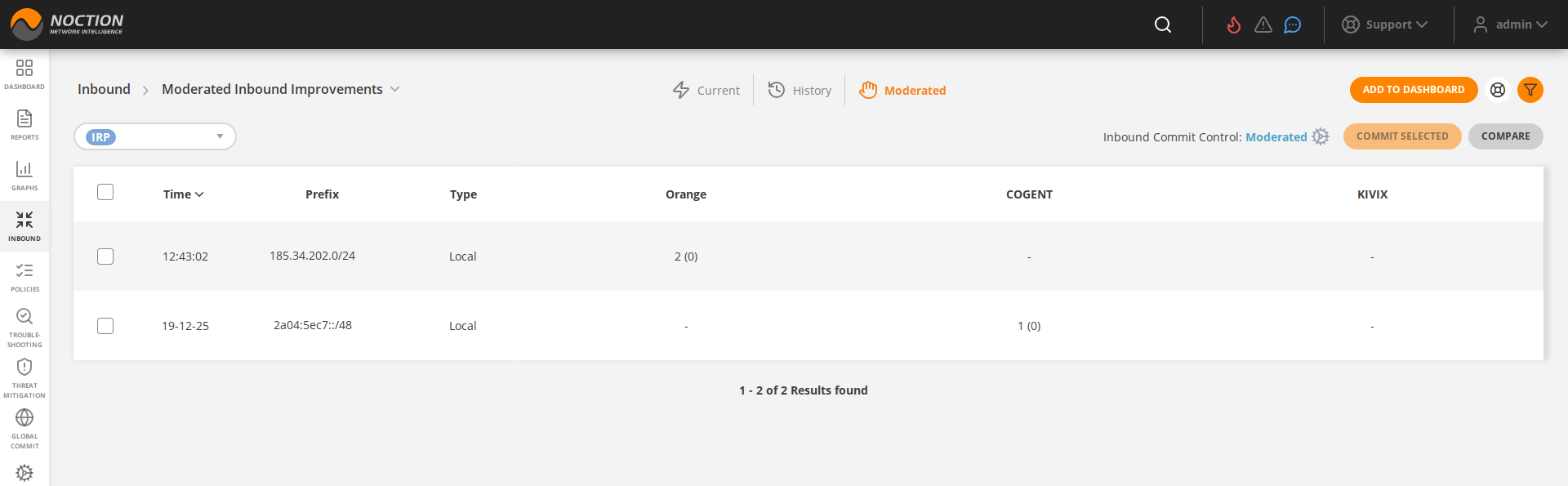
Figure 3.6.6: Moderated Inbound Improvements
Inbound Improvements moderation highlights the number of additional prepends proposed by IRP and allows submitting or rejecting individual improvements as well as a batch of selected improvements.