

Analyze, Detect, Act
Noction NetFlow Analyzer
Monitor and analyze NetFlow, sFlow, IPFIX, NetStream, SNMP and BGP data in real time. Gain deep insights into traffic patterns, detect and mitigate DDoS attacks, ensure efficient resource usage, and strengthen network security — all from a single, scalable tool.
* 30-day free trial. No CC required.
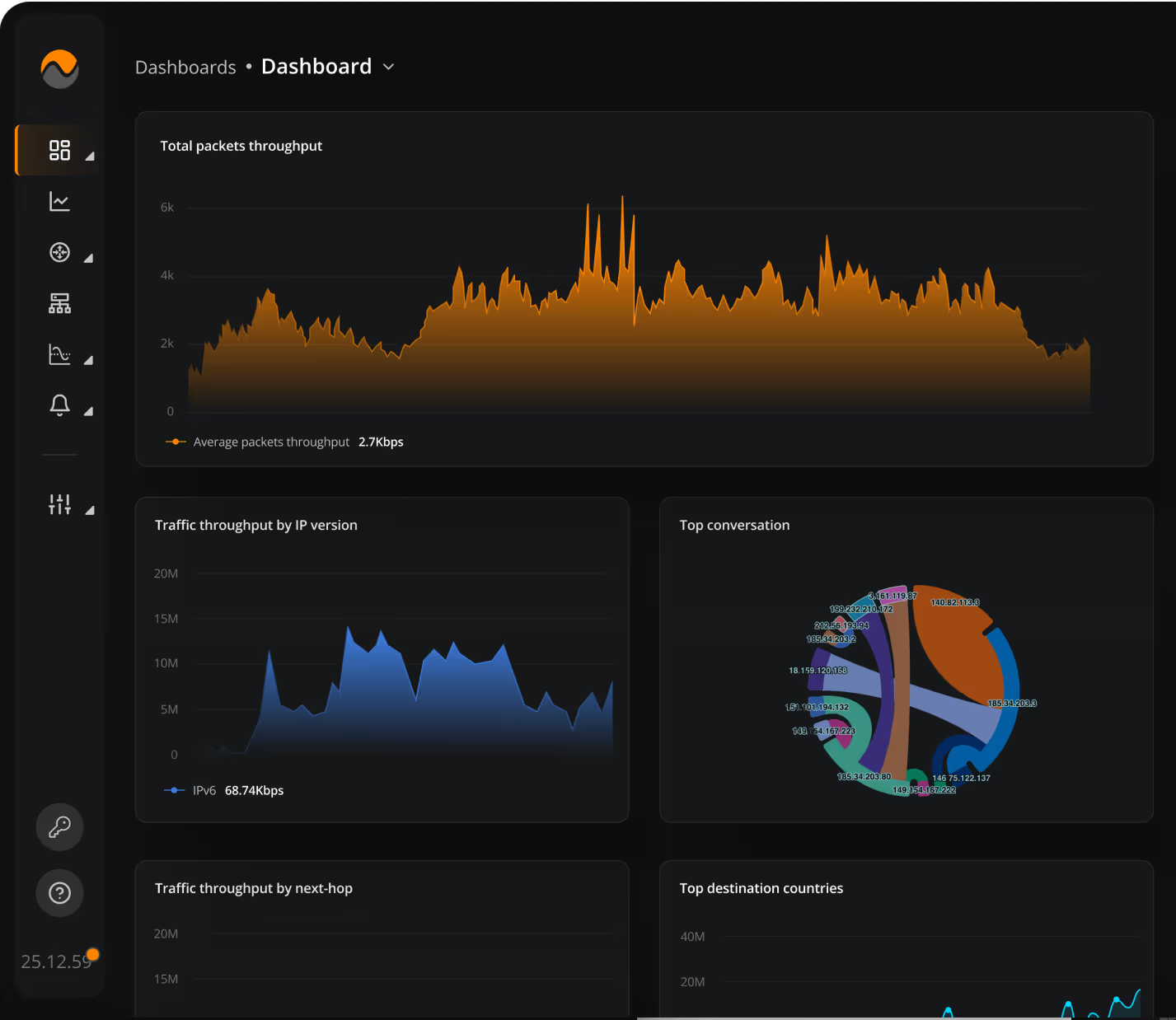
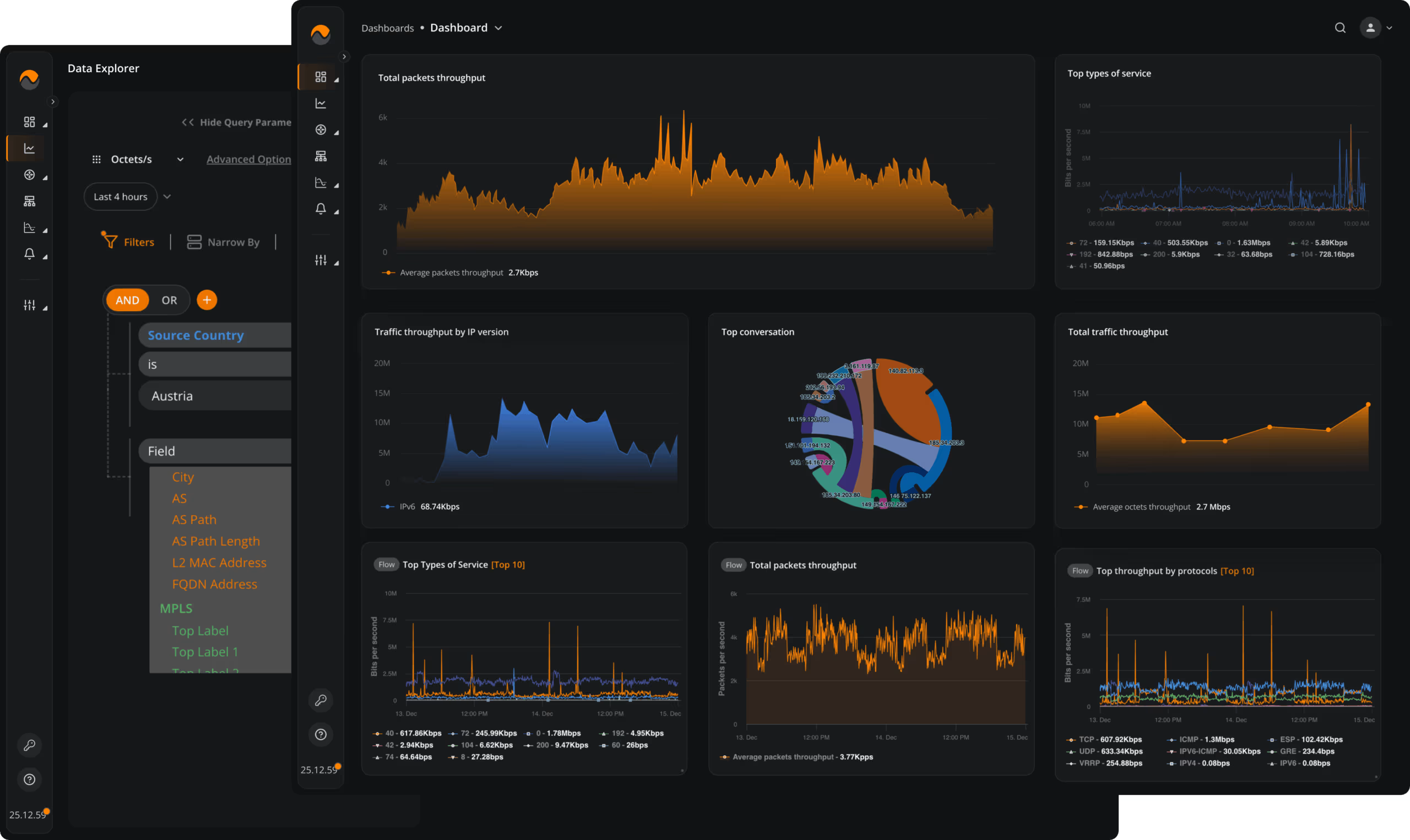
Gain Deep Visibility into Your Network
- Understand Bandwidth Usage
Instantly identify top talkers and bandwidth-heavy apps by interface, conversation, or service. Know exactly who’s using what — and why. - Plan with Confidence
Monitor usage trends to make informed decisions about resource allocation and infrastructure scaling — no more guesswork. - Pinpoint and Prevent Issues
Detect anomalies fast, trace performance problems to their source, and resolve issues before they disrupt operations.
Customize NFA to Fit Your Needs
- Powerful Filtering Tools
Slice and dice NetFlow data in countless ways with the Data Explorer. Answer questions your old tools can’t. - SNMP Interface Monitoring
Track interface-level stats using the SNMP view, which is perfect for assessing device health and link utilization. - Dashboards That Work Your Way
Start with built-in dashboards or create your own — visualize what matters most to your team.
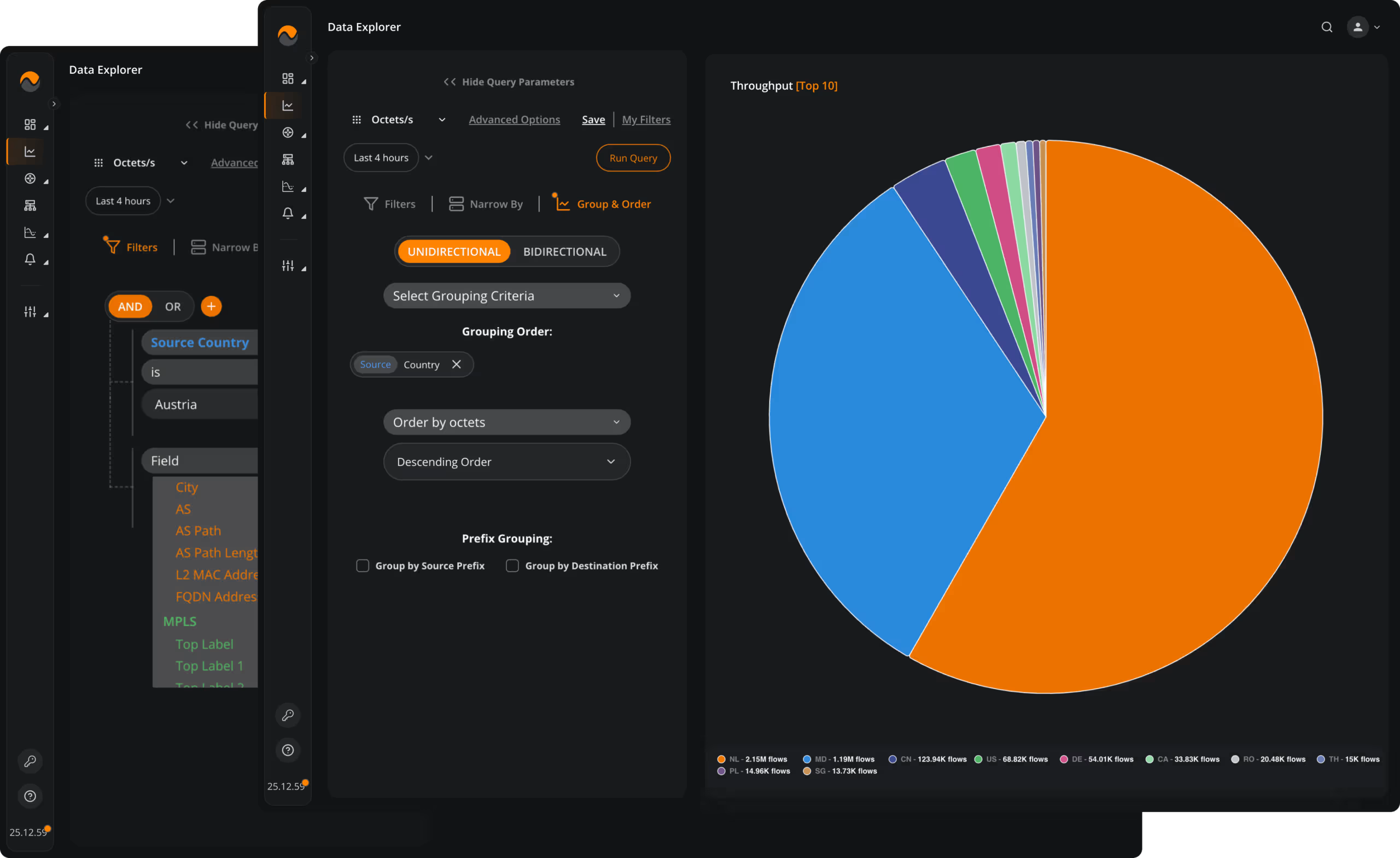
Customize NFA to Fit Your Needs
- Powerful Filtering Tools
Slice and dice NetFlow data in countless ways with the Data Explorer. Answer questions your old tools can’t. - SNMP Interface Monitoring
Track interface-level stats using the SNMP view, which is perfect for assessing device health and link utilization. - Dashboards That Work Your Way
Start with built-in dashboards or create your own — visualize what matters most to your team.
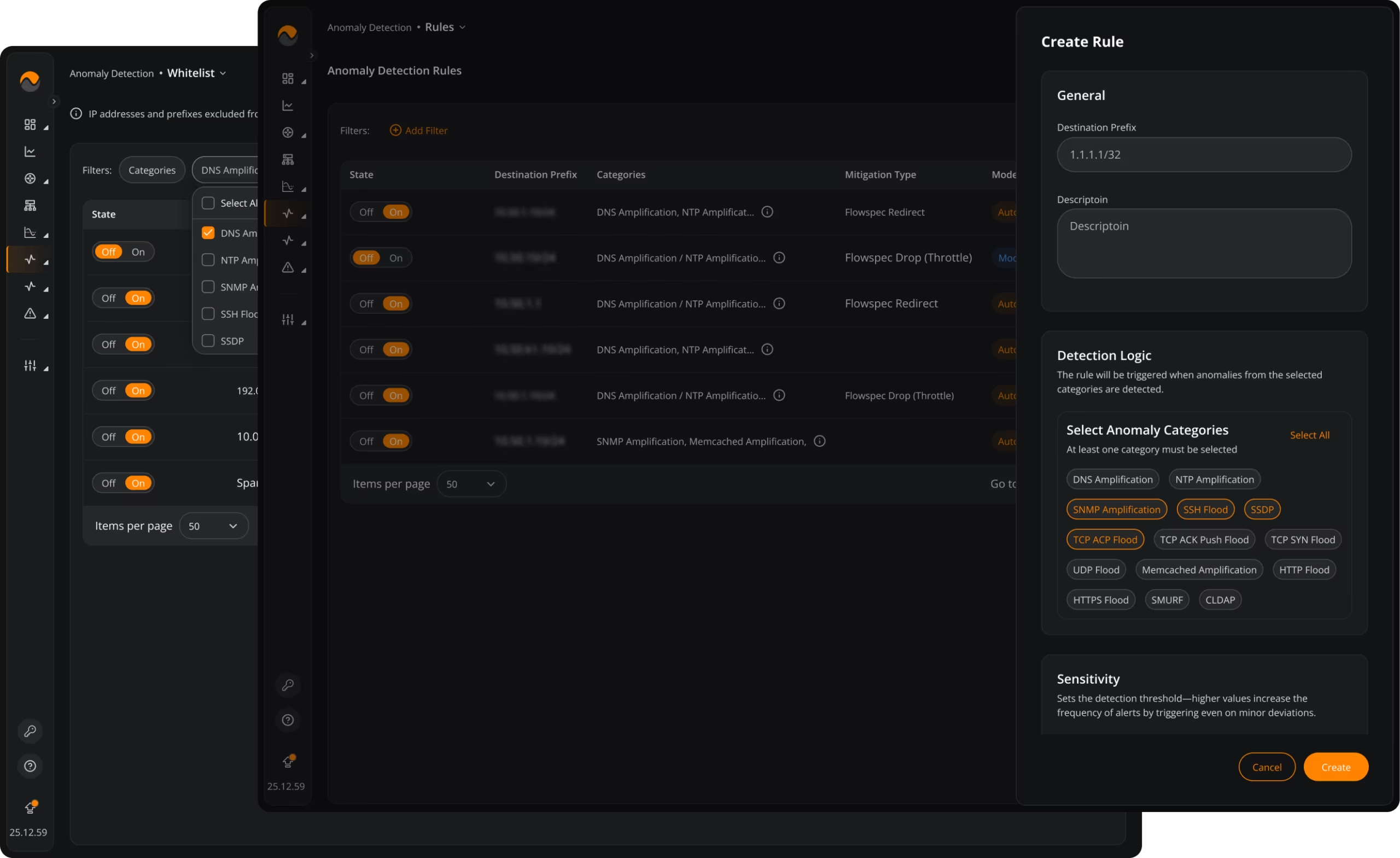
Automatically Detect & Mitigate DDoS Attacks
- Spot Abnormal Traffic Behavior
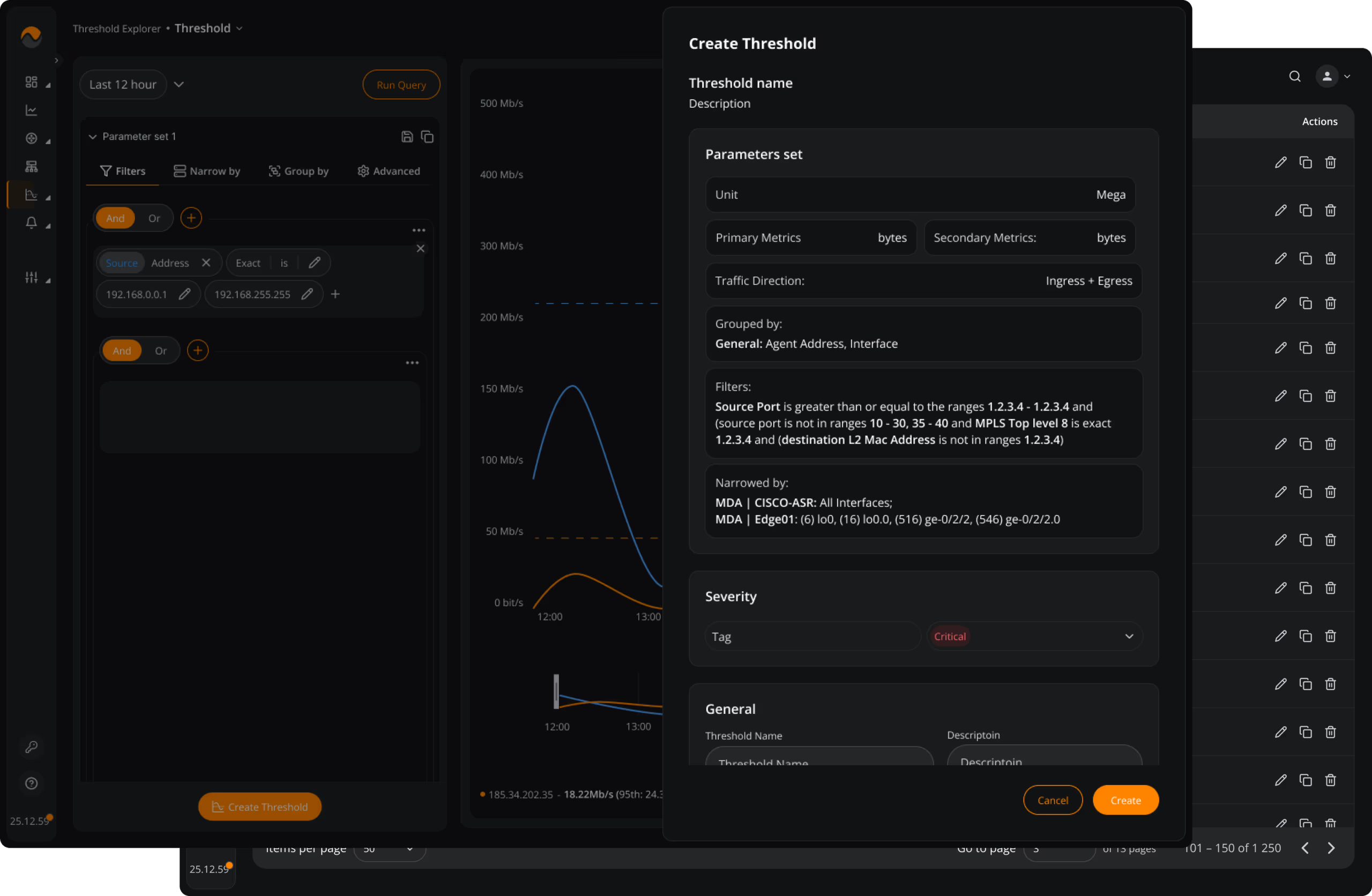
Let NFA analyze historical flow patterns to detect amplification attacks, protocol floods, and other significant deviations from normal traffic. - Enable Automated or Moderated Mitigation
Apply protection automatically when an anomaly is detected, or review and confirm the response in moderated mode. - Block or Redirect Attack Traffic
Use BGP FlowSpec to drop, throttle, or redirect malicious traffic and keep a searchable history for incident review.
Respond Instantly to What Matters
- Define Your Own Alert Rules
Easily build custom alerts or tweak existing ones to match your environment and priorities. - Stay Informed, Always
Receive alerts via your preferred channels — email, webhooks, Slack, Telegram or more — wherever you are. - Get Started with Ready-to-Go Alerts
Use pre-configured alert policies out of the box to catch common issues from day one.
Respond Instantly to What Matters
- Define Your Own Alert Rules
Easily build custom alerts or tweak existing ones to match your environment and priorities. - Stay Informed, Always
Receive alerts via your preferred channels — email, webhooks, Slack, Telegram or more — wherever you are. - Get Started with Ready-to-Go Alerts
Use pre-configured alert policies out of the box to catch common issues from day one.
Customer Story
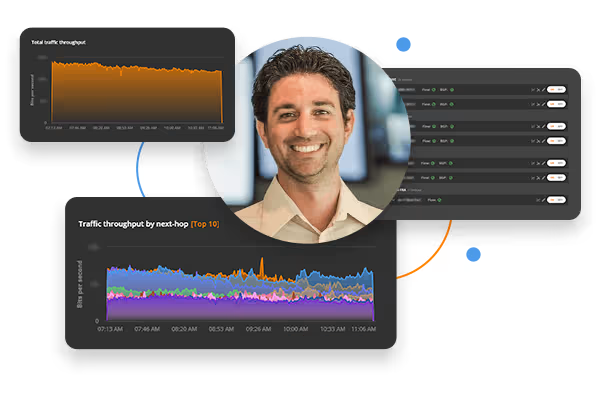
Turning terabytes of IP Flow data into Actionable Insights
See how Hivelocity leverages NFA to gain valuable insights into their network traffic from their worldwide locations and take proactive measures to address issues before they impact their customers.
tips and tricks
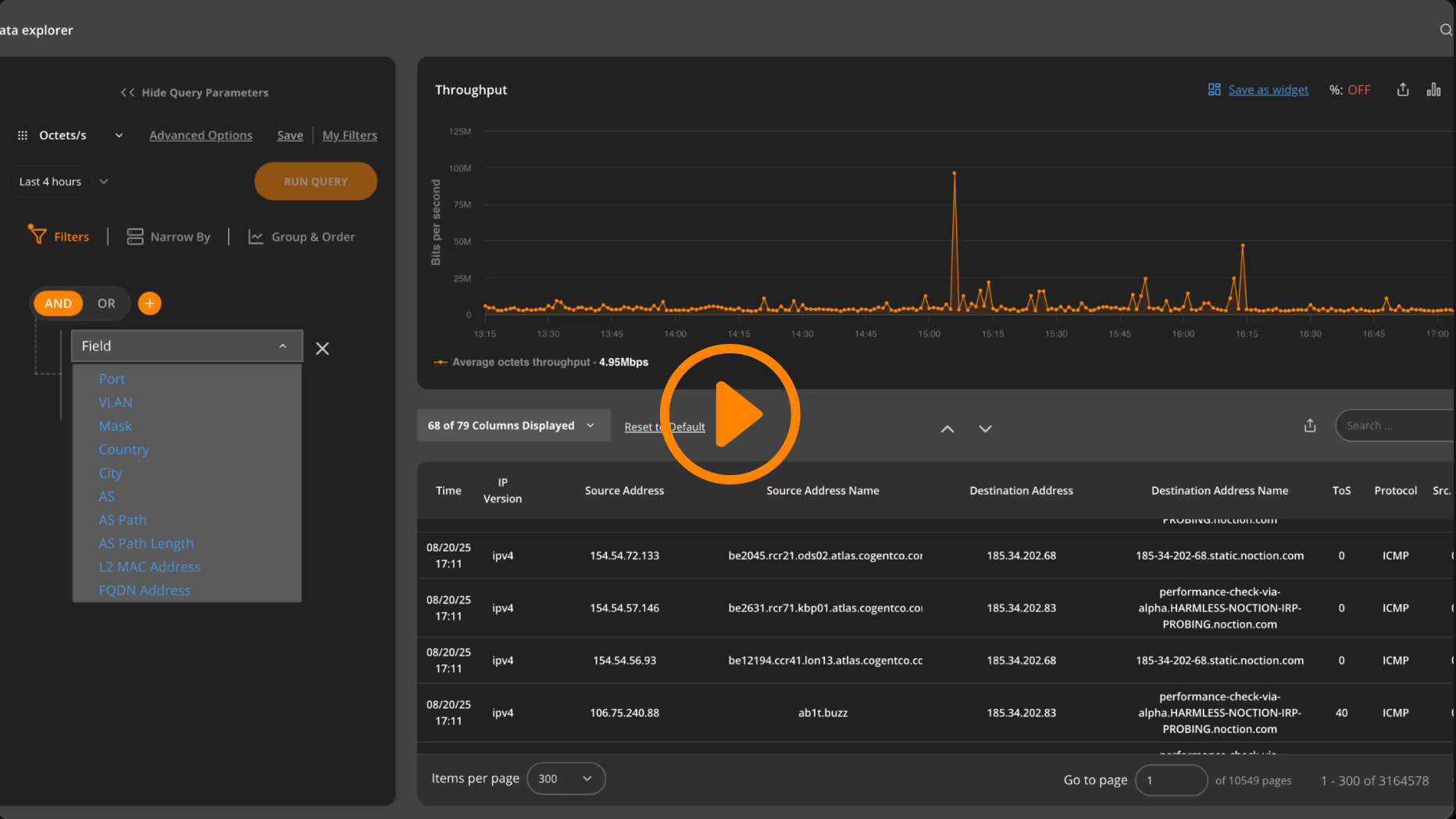
Connections to port 22 on remote networks from a particular AS
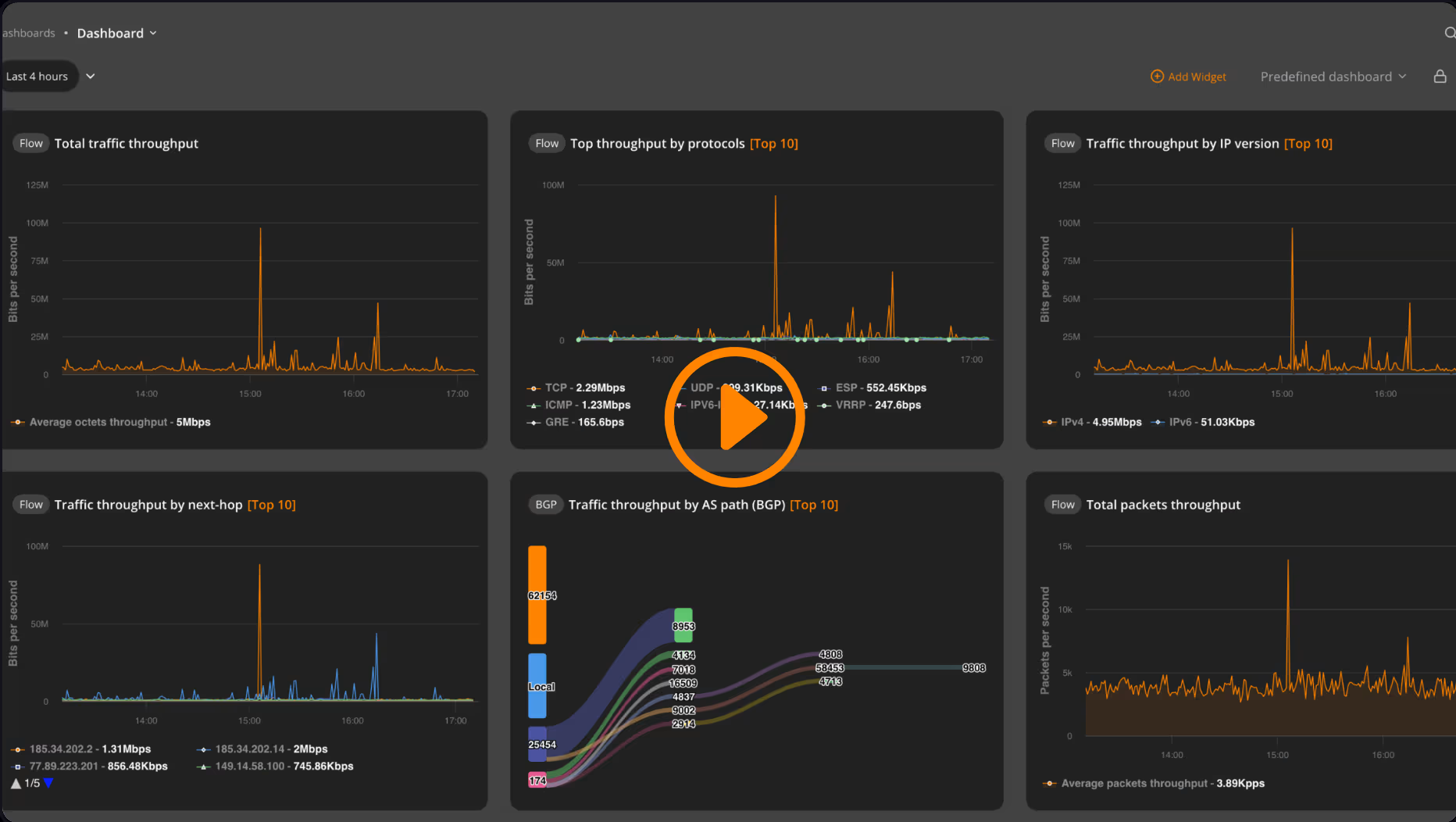
Remote HTTP/HTTPS traffic on web ports talking to a particular AS
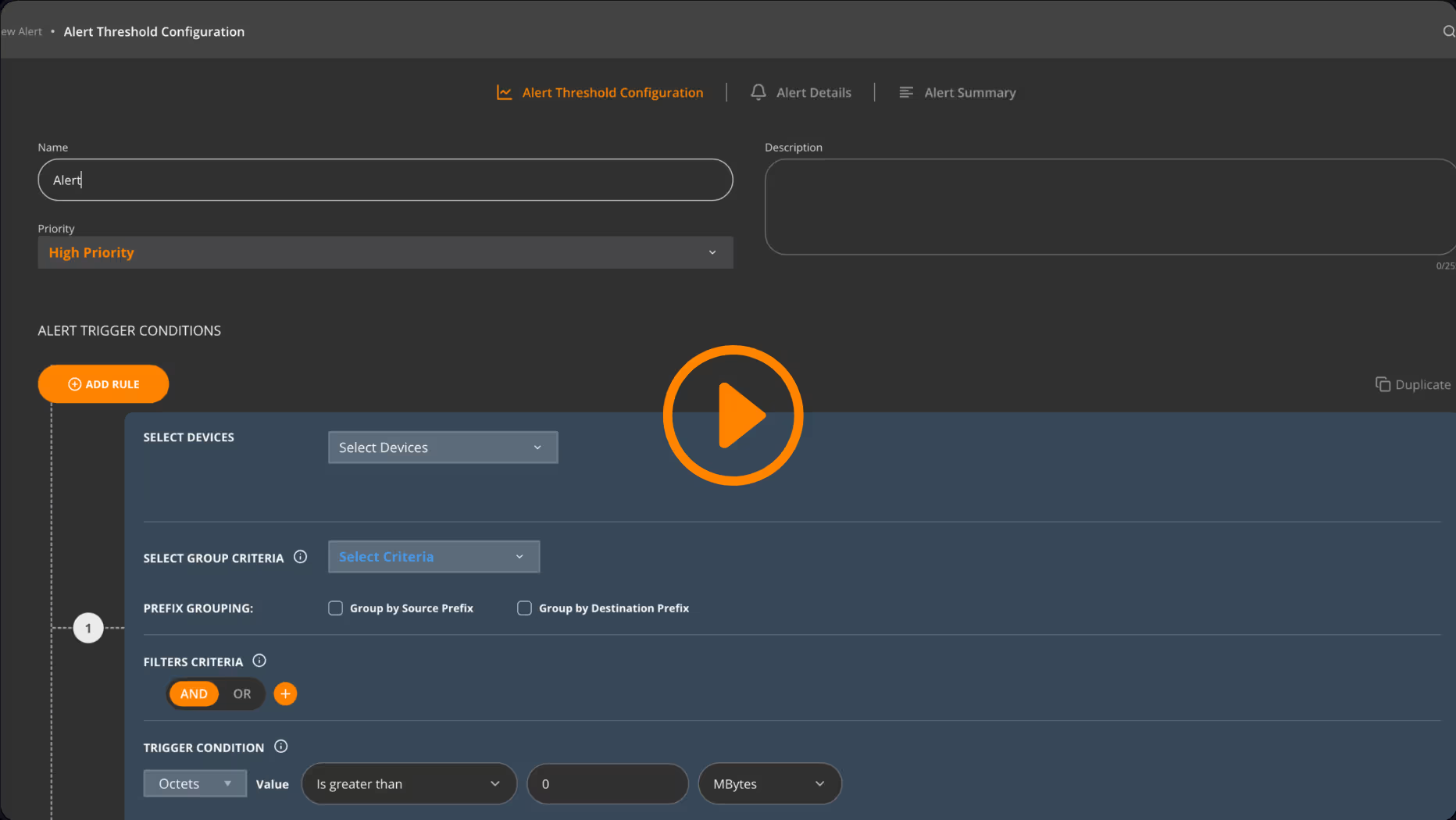
Creating an alert on a large number of DNS requests
Customer Story
Streamlining and scaling Network Traffic Analysis with NFA
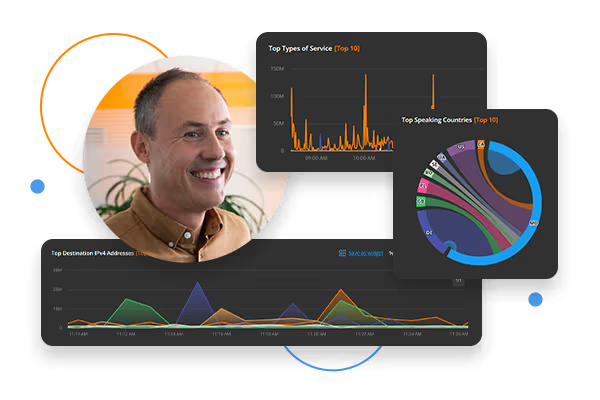
Check out how T-2, a major Slovenian telecom operator, uses Noction Flow Analyzer for complete network traffic visibility, proactive routing policies optimization, and enhanced security.
Customer Story
Streamlining and scaling Network Traffic Analysis with NFA
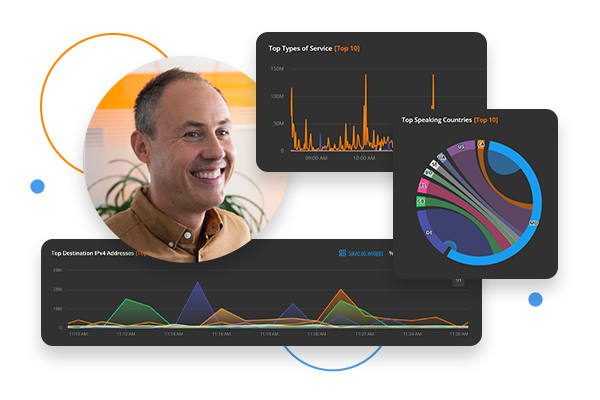
Check out how T-2, a major Slovenian telecom operator, uses Noction Flow Analyzer for complete network traffic visibility, proactive routing policies optimization, and enhanced security.
The eBook discusses the behavior of NetFlow in a VRF environment and provides guidance on how to configure Flexible NetFlow ingress VRF Support. It offers details on Flexible Netflow ability to characterize IP traffic and identify its source, destination, timing, and application information critical for network availability, performance, and troubleshooting.
This eBook discusses the role of NetFlow as a valuable tool for collecting IP traffic matrices that can be used for capacity planning. The eBook emphasizes the importance of network capacity planning and points out common pitfalls associated with this topic It also discusses the main methods for collecting and building traffic matrices based on NetFlow technology.
NFA License
NFA License
Managing a large network with over 10k FPS? Let us know the details and request a custom quote.
* BGP Data is delivered as an optional add-on to Noction Flow Analyzer.
With the Add-on enabled, NFA overcomes the limitation of BGP support in traditional NetFlow. It employs a collection of full BGP data from BGP tables of edge routers, extracting the required BGP attributes. NFA extracts BGP attributes such as AS_PATH and matches the obtained data with corresponding flow records.
1. What is Noction Flow Analyzer?
Noction Flow Analyzer is a flow-based monitoring and reporting software that collects, stores and presents traffic data across the entire network and protocols to network professionals for future analysis. The product enables engineers to optimize their networks and applications performance, control bandwidth utilization, do the proper network capacity planning, perform detailed BGP peering analysis, improve security and minimize network incidents response time.
2. What kind of protocols can Noction Flow Analyzer work with?
Noction Flow Analyzer supports NetFlow, J-Flow, sFlow, IPFIX, NetStream, as well as SNMP and BGP.
3. What devices does NFA support?
NFA is designed to work with any device be it a router, switch, firewall, etc that is capable of exporting NetFlow, J-Flow, sFlow, IPFIX or NetStream. NFA has been successfully tested with Cisco, Juniper, Huawei, Brocade, Alcatel, Vyatta, Mikrotik, Arista, and ZTE devices.
4. What is NFA licensing based on and what is the product’s pricing?
NFA is priced per license at a flat rate of $299/month or $2990/year ($598 savings) with no limitations in terms of network devices, interfaces, or sites added to the system; free upgrades to new releases, and premium 24/7 support.
Custom pricing will apply to deployments with over 10K FPS.
5. Is there a Free Trial available for NFA?
Yes. You can trial NFA for 30 days completely free of charge. Instant access. No credit card required.
6. Where do I find my NFA license activation key?
Once you request an NFA license online, the activation key is sent to you via email. Should you have any questions regarding NFA licensing, feel free to contact us at info@noction.com
7. Will I need to reinstall the server to upgrade to a commercial license?
No, you will not have to reinstall or shut down the server. You’ll need to simply introduce the new license activation code under Management > License.
8. Are the support services included with a purchase of an NFA license?
Yes. Free 24/7 support is available for all license types.
9. What are the requirements for installing Noction Flow Analyzer?
Hardware Requirements:
- x86_64 architecture
- Minimum 4x core CPU (8x core CPU recommended)
- Minimum 32GB of RAM (64GB RAM recommended; 128GB RAM – optimal)
- Minimum 250GB SSD storage (500GB SSD storage recommended) allocated to the /var partition
Software Requirements:
- RHEL 8 / RHEL 9
or
- Ubuntu 22.04 or Ubuntu 24.04 LTS
Note: NFA will install and operate below the recommended system requirements. However, as the database size grows and if complex queries are used, this can result in slow performance.
The minimum system requirements assume the default configuration. Significantly increasing the flow collection rate might cause additional load on a server, thus requiring extra memory or a larger CPU.
10. Can NFA be deployed on a VM instead of a physical server?
In production, a dedicated server is recommended. The system can be deployed on a VM as well with matching specifications.
11. I need more information about installing NFA
Consult the following document or information about installing NFA. Should you still have questions or need assistance, contact our 24/7 support at support@noction.com
12. What does “FPS” mean when you mention “Up to 10k FPS”?
FPS stands for Flows Per Second, referring to the number of network flow records. When we say "Up to 10k FPS," we mean the regular license permits analysis of up to 10,000 flow records per second.
This limit applies only to the licensing tier — not the technical capacity of NFA. For environments needing more than 10k FPS, custom higher-FPS licensing is available. Contact us to request a tailored quote that matches your network size and monitoring requirements.
13. Is there a limit on the number of devices that I can export data from?
There is no limit on the number of devices, interfaces, or sites that can be added in the Noction Flow Analyzer.
14. Are there any restrictions on the number of NFA users?
No. An unlimited number of users can access Noction Flow Analyzer at any time.
15. How can I get support in case I encounter any issues with NFA?
For any technical support please contact us at support@noction.com describing the issues you encountered or call (650) 903-7028.
16. What are NFA dashboards? Can I create custom dashboards in NFA?
NFA dashboards are the specific sets of flexible and interactive visualizations, designed for quick analysis of the network traffic data and informational awareness. Dashboards consist of widgets – graphical representations of specific data, which can be added, edited, deleted or modified as you like.
Run any query using NFA Data Explorer, save your query as a widget and add it to a dashboard of your choice.
17. What type of alerts can I set up in NFA?
NFA lets you set up a robust and customizable alert system that can proactively notify you via email or Slack when important conditions are detected in your network traffic data. You can configure alerts based on different characteristics and parameters of your network traffic: volume changes, frequency, specific traffic type existence, duration, baseline or a complex combination of such characteristics.
18. What is BGP add-on in NFA?
BGP Data is delivered as an optional add-on to Noction Flow Analyzer.
NFA overcomes the limitation of BGP support in traditional NetFlow. It employs a collection of full BGP data from BGP tables of edge routers and extracting the required BGP attributes from the tables. NFA extracts BGP attributes such as AS_PATH and matches the obtained data with a corresponding flow record. This enables NFA to see and filter on the full BGP path, not just the next hop, first three or last three AS numbers.
Enabling BGP data will require you to establish a BGP session between at least one of your routers and NFA.
19. For how long will the analyzer store data? What would be the default data retention period?
The default level 3 data aggregation is kept for 400 days.
20. Can I request new features to be added to Noction Flow Analyzer?
Definitely. Use this form to request new features, suggest modifications to existing features or report a bug. We do read each and every message and use the information provided to improve our Noction Flow Analyzer. Your suggestions, comments, and ideas for improvements are very important to us.
21. Can I cancel at any time?
Yes. You may cancel your subscription at any time. No questions asked.
You’ll be able to continue using NFA until the end of your billing cycle.
22. What is an IP Flow?
An IP Flow is a sequence of packets sharing the same properties that are sent between a sending and receiving hosts. For instance, when we watch live streaming video, packets sent from server to PC create a flow as they are part of the same conversation.
Traffic Visibility, Simplified.
Ready to See Noction Flow Analyzer in Action?
Start your journey with Noction Flow Analyzer and take full control of your network traffic. From real-time flow analysis to BGP visibility, everything is just a few clicks away. No caps, no hidden limits — just full-featured access during your free trial.
Install NFA
Install NFA on Ubuntu or RHEL in minutes — or use a pre-provisioned trial server
Connect Flow Data
Send NetFlow, sFlow, IPFIX, or NetStream and see graphs appear shortly after setup.
Visualize & Optimize
Use the dashboard to view traffic, enable BGP, and analyze your network in one place.
See what others have to say
Noction is loved by Network Pros

"Optimal performance for our customers"
IRP has been a great asset to our business. It is paying for itself by saving us money on overages and ...
"Optimization & Scalability"
Noction gave us the three requirements we seek with all solutions: optimization, scalability, and extended SLA.