




The Thresholds feature allows users to define traffic conditions and receive alerts when predefined limits are reached or exceeded. This eliminates the need for continuous manual monitoring by automatically identifying abnormal or unwanted network behavior.
A threshold is typically defined using:
- Filter Criteria:
(e.g., source address)
(e.g., destination address)
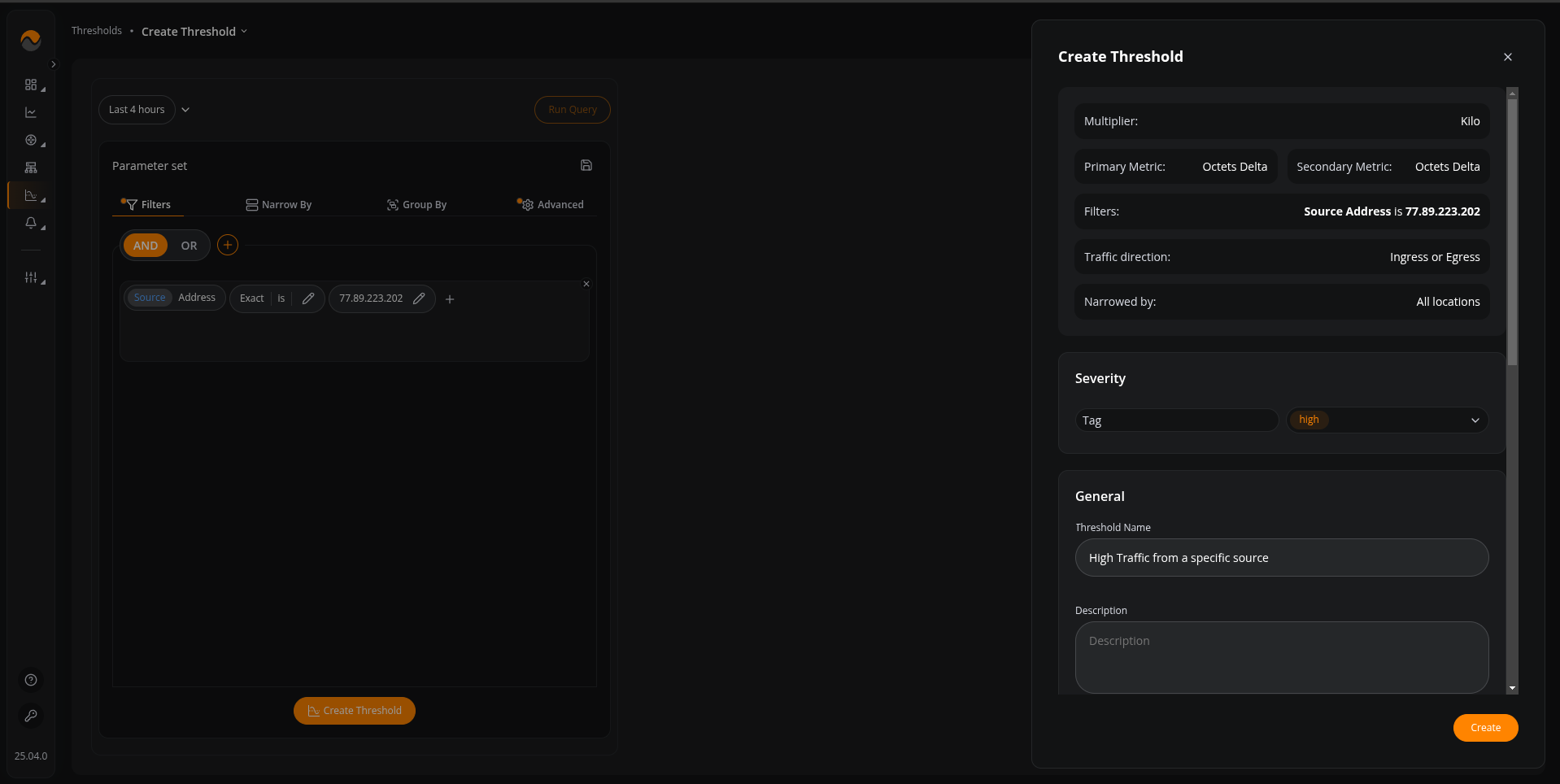
- Violation Condition:
(e.g., alert when value is above 500)
(e.g., alert when value is below 50)
(e.g., alert when value is between 100 and 300)
(e.g., alert when value is outside the range of 50 and 400)
- Trigger Condition:
(e.g., trigger rule -> immediate, recovery delay 120s)
(e.g., trigger rule -> flapping violation for period, time window -> 60, breach count -> 1, recovery delay -> 120s)
(e.g., trigger rule -> breach over window , time window -> 60s, time in breach -> 30s, recovery delay -> 120s)
- Trigger Action:
(e.g., notify via Slack)
(e.g., notify via Email)
(e.g., notify via Telegram)
(e.g., notify via Mattermost)
(e.g., notify via Teams)
(e.g., notify via PagerDuty)
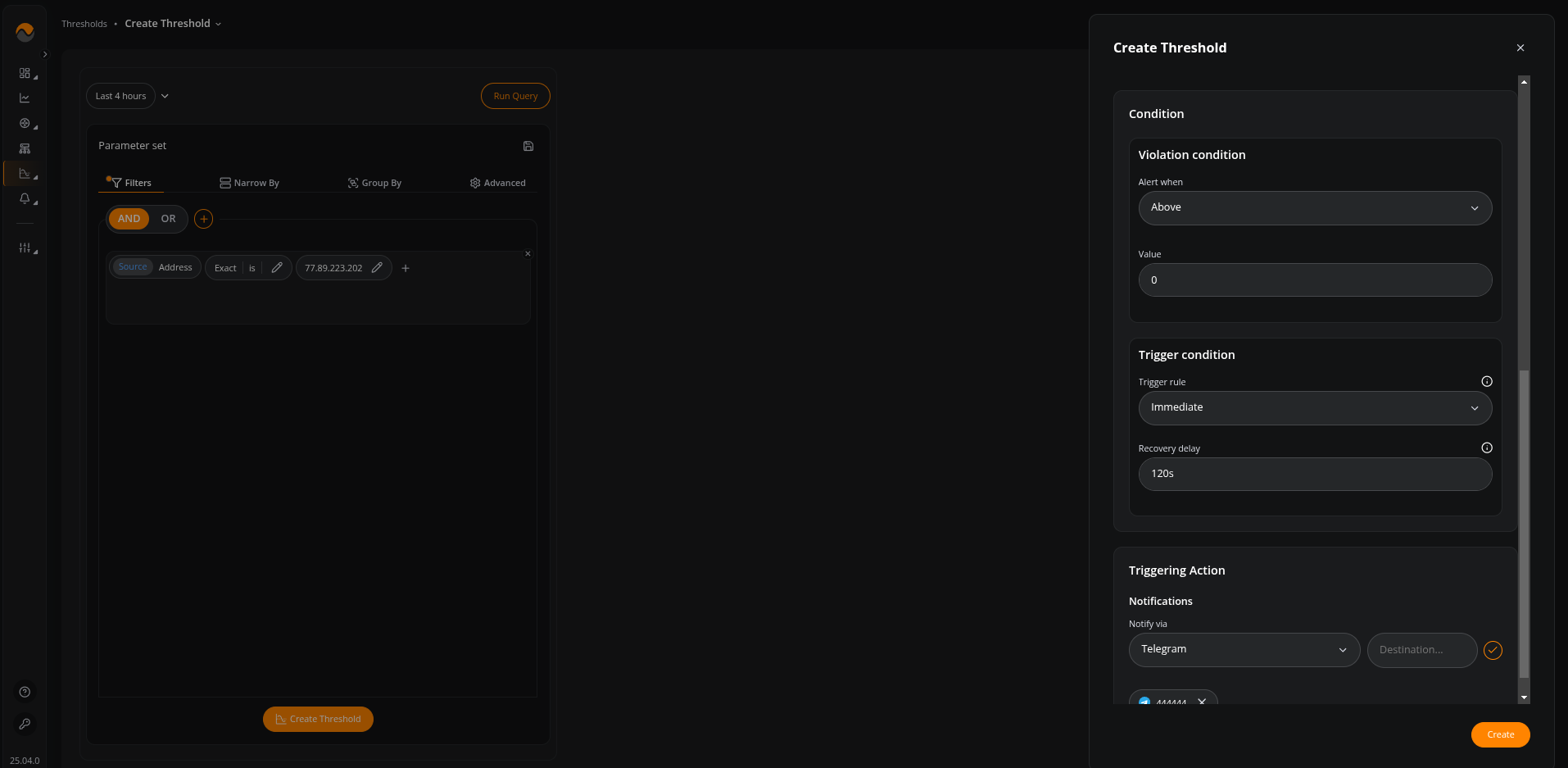
When traffic matches the defined criteria and crosses the configured limits, NFA generates an alert.
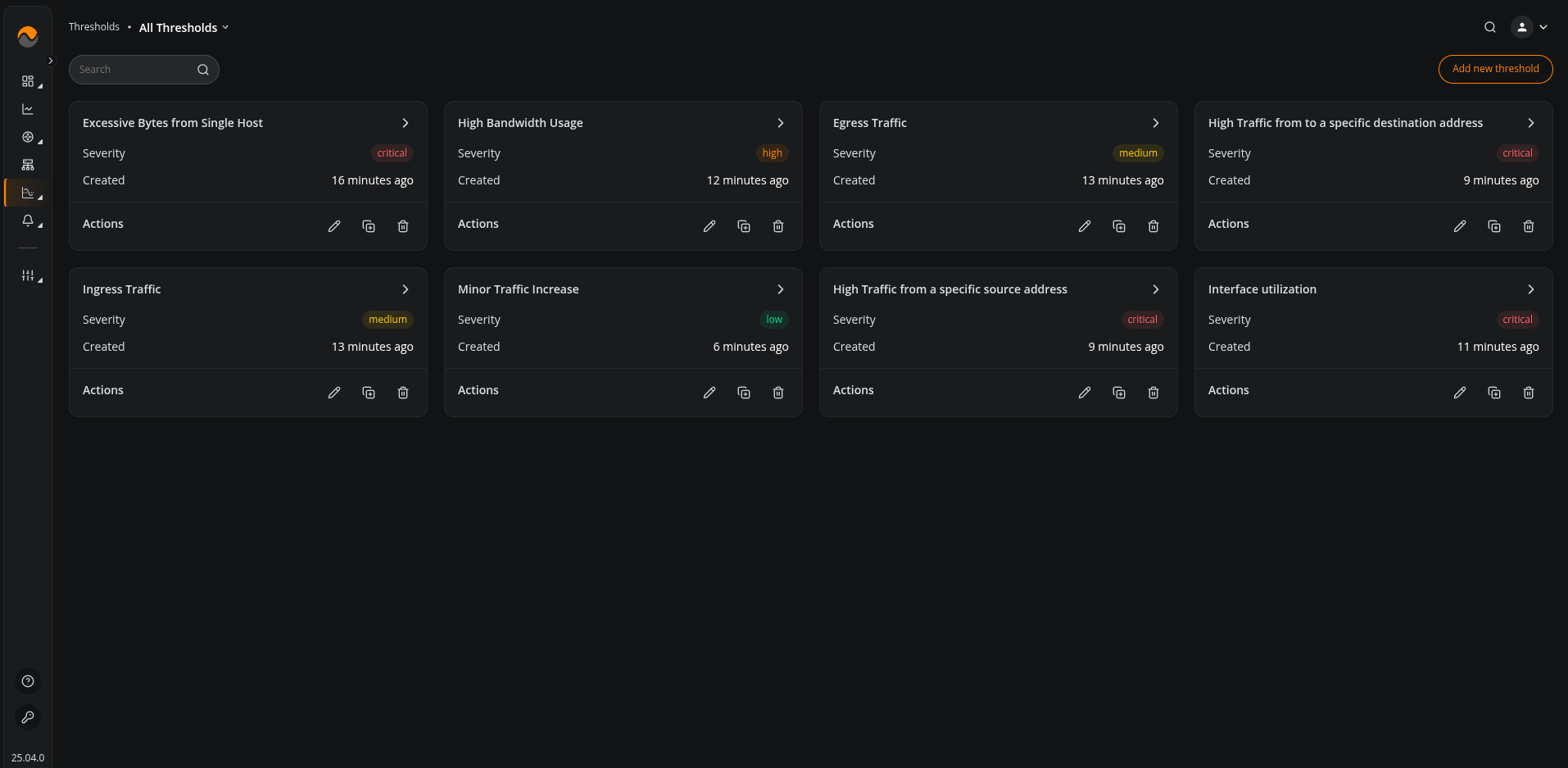
To view all configured thresholds and see detailed information for each, including their conditions, parameters, and status, navigate to All Thresholds.
From this section, you can:
- View complete details of each threshold
- Edit an existing threshold
- Delete a specific threshold
- Manage and review their configurations
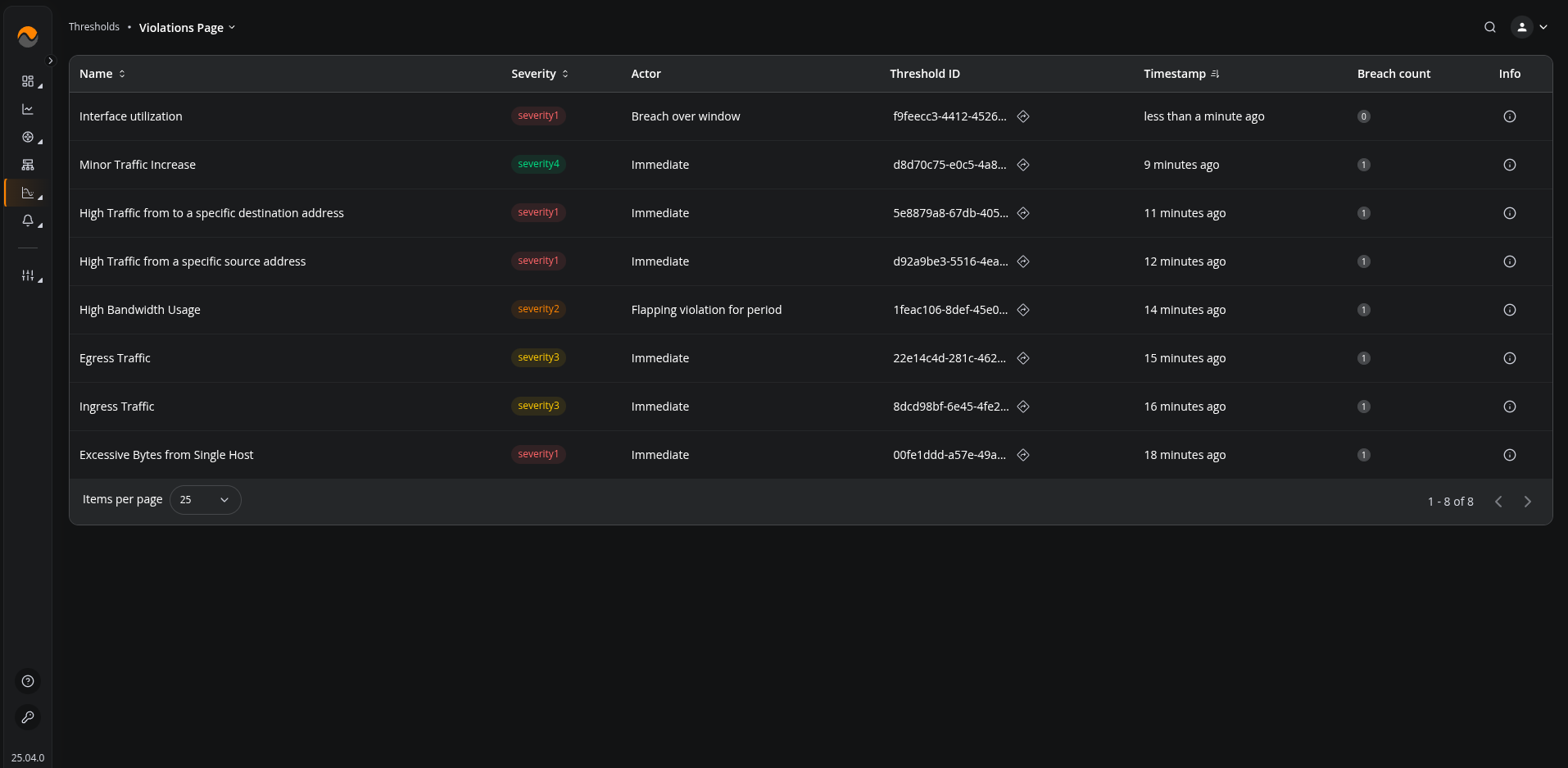
To view real-time information about the traffic count and breach count for a specific threshold, navigate to the Violations Page.
This page allows you to monitor live traffic values and see whether the threshold condition is currently being violated.
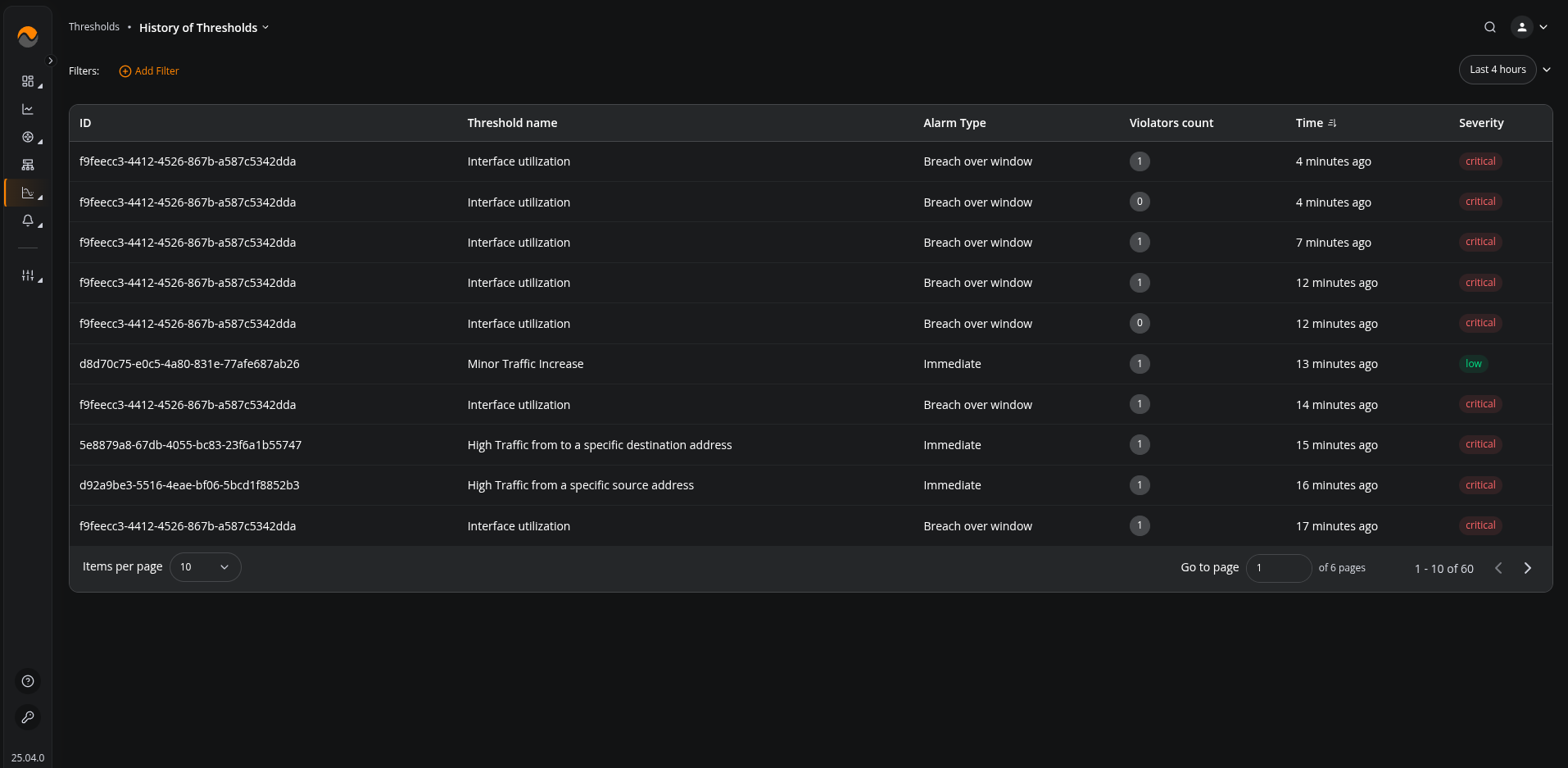
If you want to review the history of the threshold, including when it was violated and when it changed from alert back to normal state, navigate to the History of Thresholds.
This section provides a timeline of past threshold activity, allowing you to see exactly when alerts were triggered and when they were cleared.