
NFA dictionaries associate network identifiers with descriptive names to make traffic analysis and reporting easier to interpret. Open Management > Dictionaries to manage MAC address names or look up reverse DNS records.
MAC Addresses
Open Management > Dictionaries > MAC Addresses to assign recognizable names to MAC addresses. These names help identify devices when MAC addresses appear in NFA views and reports.
To add an entry, enter its MAC Address and Name, then click Add. Use the search field to find existing entries. You can also select entries to access available management actions.
For bulk imports, click Load CSV/TSV File. Download the sample template from the page, populate it with MAC addresses and names, and upload the completed file using the supported CSV or TSV format.

PTR Records
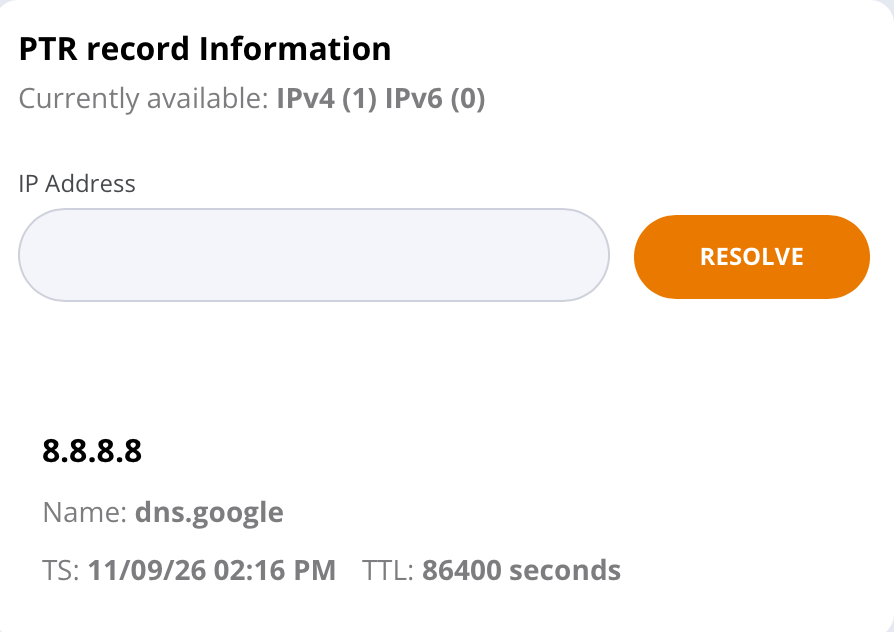
Open Management > Dictionaries > PTR Records to perform a reverse DNS lookup: resolve an IP address to its associated hostname, when a PTR record is available in DNS.
Enter an IPv4 or IPv6 address in IP Address and click Resolve. If a matching PTR record is found, NFA displays the resolved name together with the lookup timestamp (TS) and record time-to-live (TTL). A lookup may return no name when no corresponding PTR record is available or the lookup cannot be completed.