
Noction Flow Analyzer v26.04 is now available, introducing ClickHouse sharding and replication, host resource monitoring, and application upgrades directly from the web interface. This release focuses on expanding database deployment options, simplifying system administration, and providing more control over traffic analysis and monitoring configurations.
Sharding and Replication
NFA v26.04 introduces support for sharding and replication, allowing flow and BGP data to be distributed across multiple database nodes rather than relying on a single database instance.
Sharding distributes data across multiple ClickHouse servers, providing a way to scale storage and query workloads as flow data volumes increase. Replication maintains copies of data across nodes, supporting database redundancy. Together, these capabilities provide additional deployment options for networks processing and retaining large volumes of flow data. For more details, check out our blog post or explore the documentation.
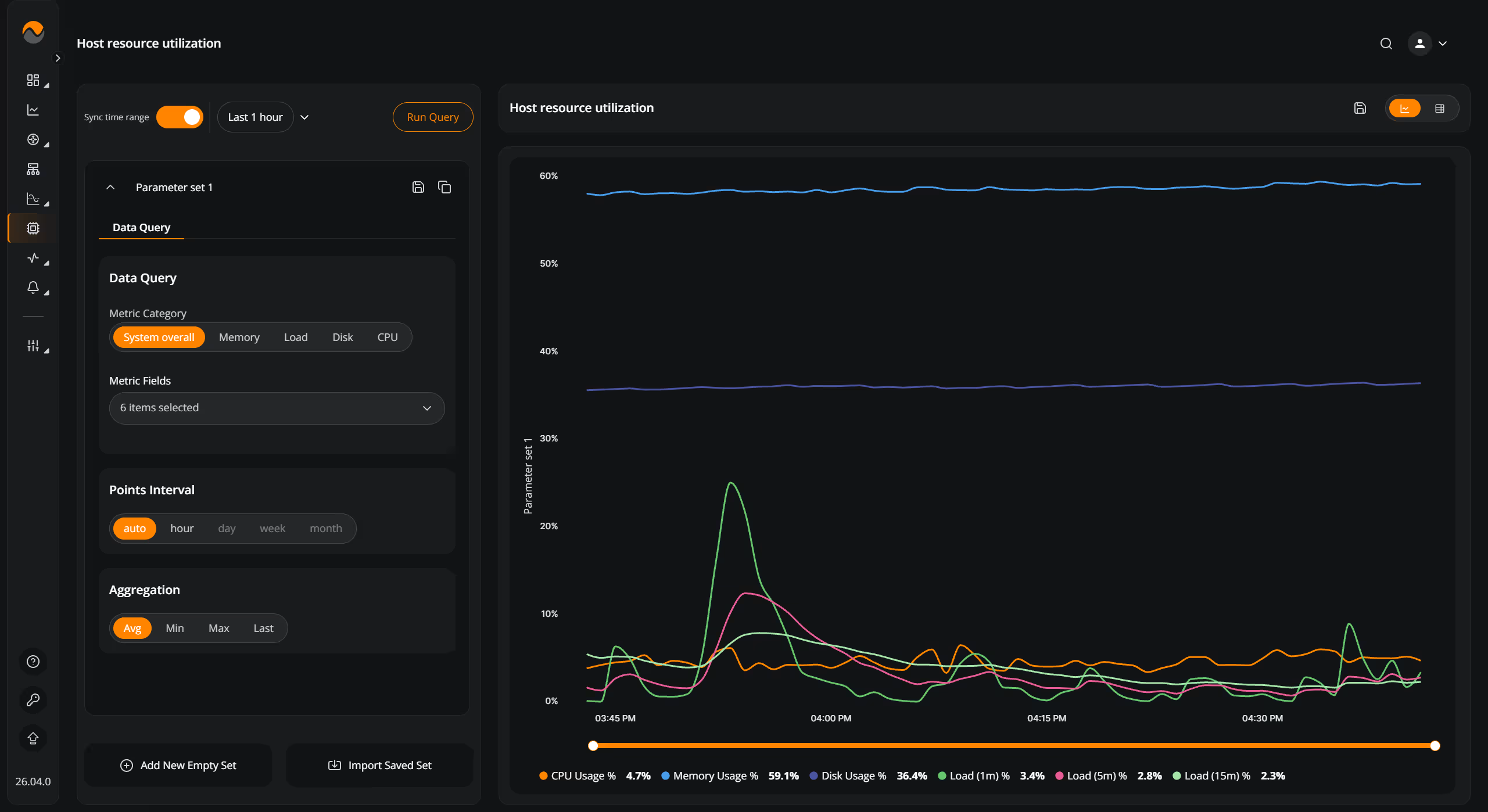
Host resource utilization monitoring
NFA now includes host resource utilization monitoring, providing visibility into the resource consumption of the server running the application. Administrators can monitor server resource usage alongside NFA operations, making it easier to identify resource constraints and assess infrastructure requirements. This provides additional context when investigating system performance or planning capacity for growing flow data volumes.
Application upgrades through the web interface
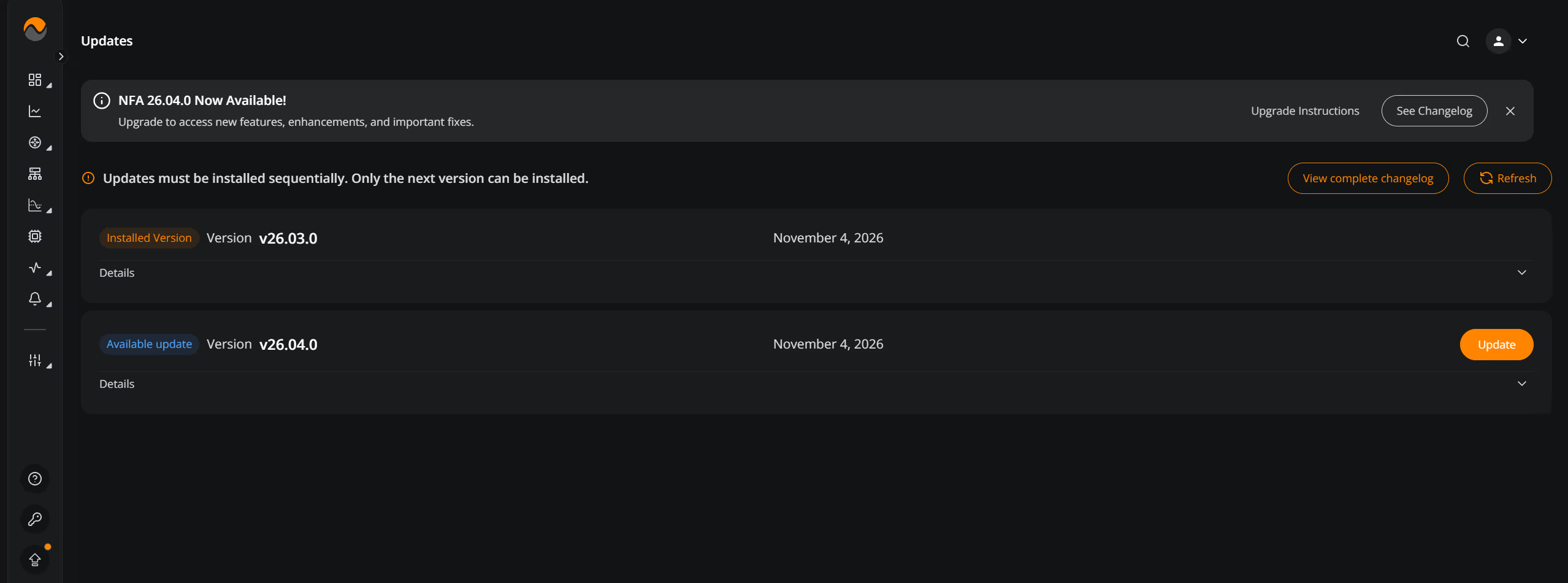
NFA v26.04 introduces the ability to upgrade the application directly through its graphical user interface, providing an alternative to performing upgrades through the command line. This gives operators another way to manage application updates without requiring direct server access to initiate the process.
Additional Improvements
NFA v26.04 also introduces updates to traffic analysis, threshold monitoring, dashboard configuration, and system administration.
- Shared Widget Parameter Sets: Added shared parameter sets that automatically propagate configuration changes to linked widgets across dashboards.
- SNMP Chart Time Comparisons: Added independent date selection for each parameter set, with an option to synchronize time ranges when comparing different periods.
- Threshold Configuration: Added configuration previews, enable/disable switches, automatic scrolling to newly created conditions or groups, and clearer range validation messages.
- Active Threshold Violations: Added manual and automatic refresh with a countdown indicator, expanded violation details, and client-side filtering by actor fields and metric values.
- Threshold Metrics: Added Bytes Per Packet (BPP) as an additional metric and extended THRESHd filter expressions with the octetsPerPacket metric and FQDN field.
- Custom Group Sharing: Added support for sharing custom groups between users.
- Port Groups: Added support for custom groups containing ports and port ranges.
- Session Management: Added configurable per-user inactivity timeouts and automatic account deactivation after prolonged inactivity.
To learn more about NFA v26.04, request a free 30-day trial of the product or email support@noction.com with any questions.